Interactive Brokers | NEWs @ IBKR Vol. 27
News @ IBKR
2025 - Volume 27
IBKR Desktop
Interactive Brokers Elevates the Desktop Platform with IBKR Desktop
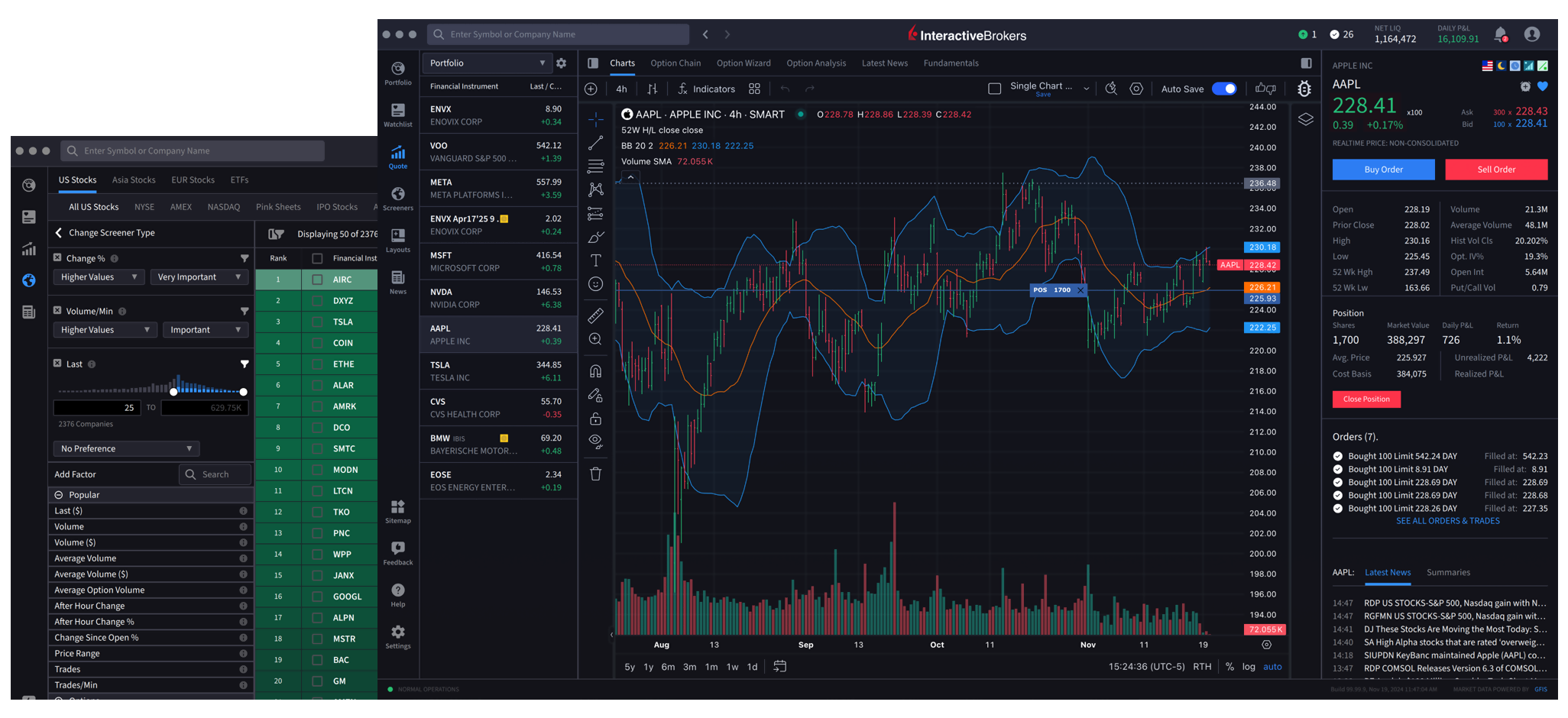
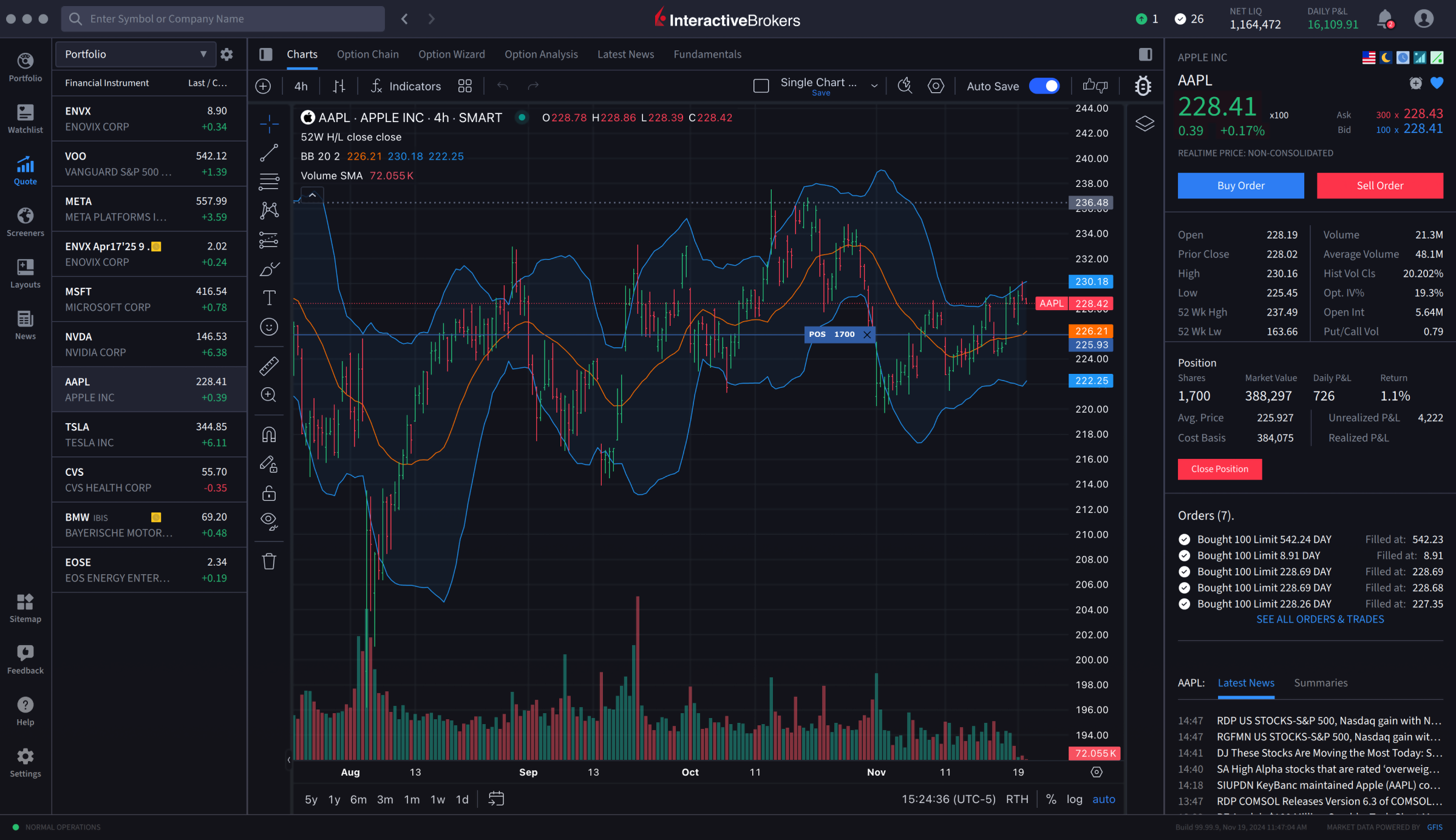
Interactive Brokers has launched a full production version of IBKR Desktop, our next-generation trading platform that balances simplicity with advanced functionality. This release follows two years of iterative beta development and introduces a fully featured desktop trading experience for investors worldwide.
IBKR Desktop is designed to serve as a primary trading platform for both retail and professional clients. It combines all key trading workflow components, including discovery, analysis, execution, and portfolio management, in a powerful and intuitive interface.
Key features and updates available in production and beta releases include:
- One-click, instant order transmission via a configurable “Quick Trade” button
- Intuitive currency trading and a unified display of P&L values in a single currency
- A full suite of core trading tools such as Portfolio, Watchlist, Advanced Charts, Options Chains, Level 2 Market Depth, and Time & Sales, plus an enhanced and more intuitive Strategy Builder for options traders
- Enhanced Global Search for faster access to securities, tools, and platform functions
- New Investment Themes discovery feature
- Close Specific Lots by choosing which tax lots to close based on long/short-term profits or losses
- Ask IBKR, an AI-powered tool that delivers instant portfolio insights through natural language queries
- A Time & Sales widget displaying a real-time log of executed trades
- Exit Strategy, which allows you to set up a bracket order on a current position or working order
- Customized Portfolio Metrics, allowing you to customize the metrics displayed
- ForecastTrader tiles and tabs for easy access
- Connections, a tab displaying stocks, ETFs, futures, and other instruments closely tied to what you’re viewing
- Improved translations and language support for IBKR's global clients
- White-branded services making IBKR Desktop available for Introducing Brokers and other institutional clients
This production launch marks a significant milestone in the platform's evolution. IBKR Desktop now delivers the core functionality of IBKR's flagship desktop platform, Trader Workstation (TWS), and is equipped to support every phase of the trading lifecycle, from idea generation and market research to execution and post-trade analysis.
IBKR Desktop is part of Interactive Brokers' broader platform suite, including IBKR Mobile for trading on the go, Client Portal for streamlined web-based access, Trader Workstation (TWS) for advanced users and IBKR ForecastTrader for trading predictions on topics including economic, government, financial or climate indicators. Each platform is built on the same robust infrastructure, giving clients the flexibility to trade how, when, and where they choose.
IBKR Desktop is currently available for individual accounts and Prop Trading accounts. Support for other account types will be added soon.
Try IBKR Desktop Today
ForecastTrader
Will the US Federal Reserve Lower Rates in December?
Think the US Federal Reserve will lower rates in December? Forecast Contracts let you trade your opinion on real-world events, including the Fed Funds Rate, with simple Yes/No contracts. US clients can take a position on over 100 elections1 in 22 states, while all eligible IBLLC clients can trade Yes/No predictions on government, economic, financial, and climate indicators.
Plus, earn 3.38% APY* on your investment through an interest-like incentive coupon and receive USD 3.00 when you sign up with ForecastTrader.
- US Tech 100
- US Industrial 30
- US 500
- General Elections1
- US House of Representatives Control
- US Recession
- BTC Price
Displayed outcomes and prices are examples only and do not reflect market sentiment or expected outcomes. For more info see ibkr.com/staticfex

How it works?
- Buy "Yes" if you believe the event will happen
- Buy "No" if you do not
- Outcomes settle at $1 (correct) or $0 (incorrect)
- Prices fluctuate with probability
Why trade Forecast Contracts?
- Hedge against political, economic, financial and climate risks: Safeguard your portfolio from volatility related to global events.
- Speculate on high-impact data: Express your conviction on economic indicators and climate trends.
- Easy to trade and understand: Predict the outcome of key events and get $1 for correct predictions.
Forecast Contracts trade around the clock from 3:00 am ET Sunday to 10:30 pm ET Friday with a 15-minute break at 5:00 pm. They can be traded on any of our desktop and mobile platforms or via IBKR ForecastTrader, our easy-to-use web platform that can be accessed with your existing login credentials.
If you do not have Forecast Contracts trading permission but would like to trade your opinion, please log in to Portal to request Forecast Contracts trading permission.
- Log in to Portal
- Select the User ("head/shoulders" icon) > Settings
- Under Trading, select Trading Permissions
- Select Forecast and Event Contracts - Request
- Select Request Permissions
- Read and acknowledge legal documents and disclosures
- Select OK
Trading permission upgrade requests are subject to Compliance review and are typically approved in 1 - 2 days.
Want to know more about how Forecast Contracts can help you hedge, speculate, or capitalize on economic and climate risks? Explore the resources below:
- Using Forecast Contracts to Hedge Economic and Climate Risks - Learn how to hedge against economic and climate risks and take advantage of these innovative contracts.
- IBKR Economic Landscape - Access expert commentary, analysis, and insights from Interactive Brokers' Senior Economist José Torres, on key US economic indicators.
- Economic Events Calendar - Stay informed about market-moving events worldwide, sortable by region and event type.
[1] Forecast Contracts on US election results are only available to eligible US residents.
*Incentive coupon subject to variation with benchmark rates. Restrictions apply.
Interactive Brokers is a CFTC-registered Futures Commission Merchant and a clearing member and affiliate of ForecastEx LLC ("ForecastEx"). ForecastEx is a CFTC-registered Designated Contract Market and Derivatives Clearing Organization. Interactive Brokers LLC provides access to ForecastEx forecast contracts for eligible customers. Interactive Brokers Hong Kong does not make recommendations with respect to any products available on its platform, including those offered by ForecastEx.
THIS IS A SOLICITATION TO ENTER INTO A DERIVATIVES TRANSACTION WITHIN THE MEANING OF CFTC REGULATION 1.71
Restrictions apply. Forecast contracts not suitable for all investors.
For information about trading rules and contract specifications, visit ForecastEx's website.
Supporting documentation for any claims and statistical information will be provided upon request.
Futures, event contracts and Forecast Contracts are not suitable for all investors. Before trading futures, please read the CFTC Risk Disclosure. A copy and additional information are available at Interactivebrokers.com.
EXPANDED OFFERING
Introducing the Karta Visa Infinite Credit Card
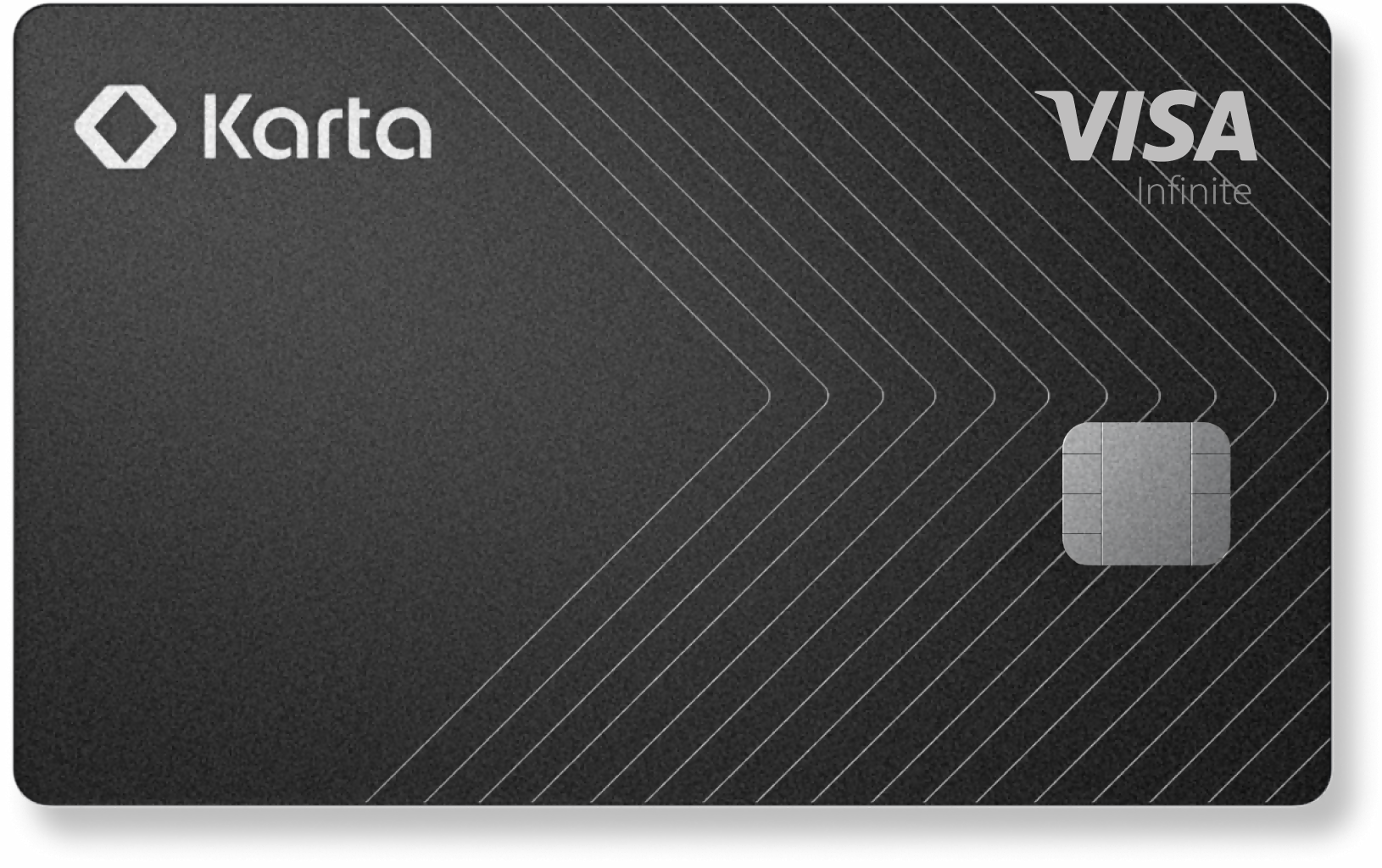
A Premium US Credit Card for Global Citizens
Interactive Brokers LLC clients who hold at least US $50,000 in assets in their brokerage account are eligible* for the Karta Visa Infinite US credit card. The Karta Visa Infinite card has an associated $300 annual fee.
Select a link below if you satisfy eligibility requirements and are interested in learning more or applying for a card.
EXPANDED OFFERING
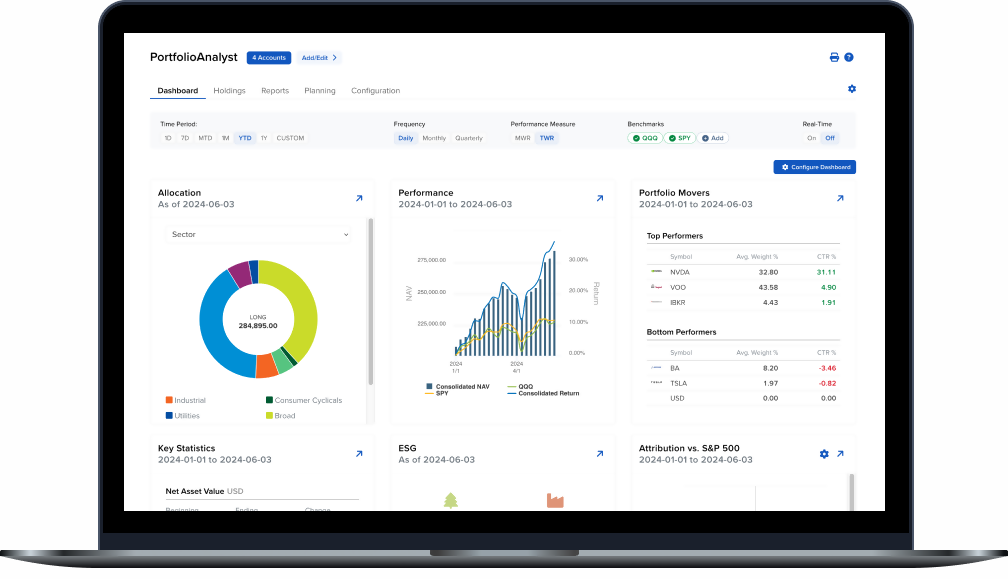
PortfolioAnalyst
Brokerage Accounts
Bank Accounts
Annuities
Student Loans
Mortgages
Credit Cards
Auto Loans
Other Assets or Liabilities
This year we have introduced several new features and enhancements to PortfolioAnalyst, including:
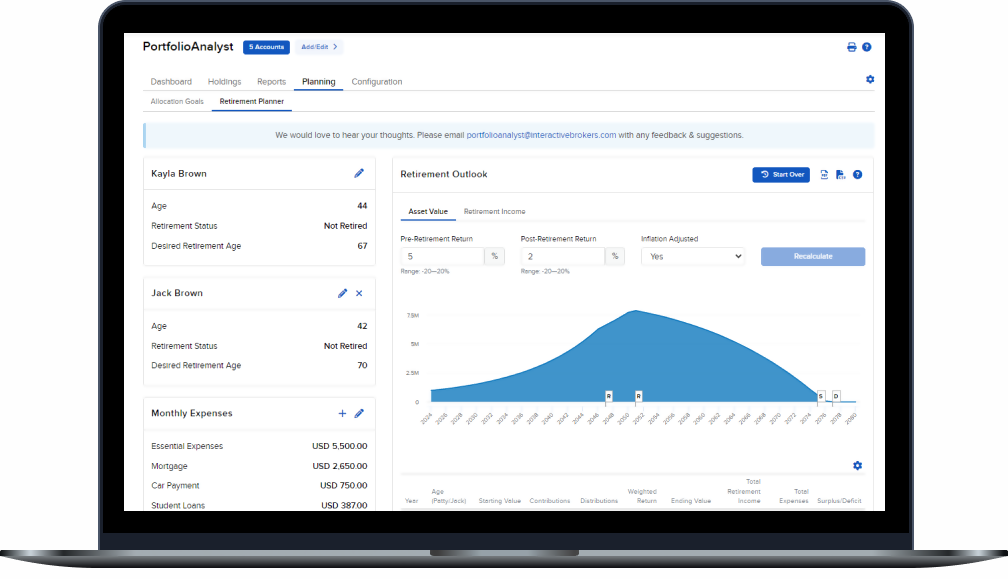
Tax Planner
Tax-efficient investing helps ensure you retain more of your gains by minimizing unnecessary tax liabilities. The Tax Planner helps you estimate taxes related to your brokerage account activity, allowing you to proactively manage your tax exposure, avoid surprise tax bills and keep more of your money working for you.

NEW PRODUCTS
Turn Market Trends into Smarter Trades with Investment Themes
Investment Themes is an intuitive discovery tool that helps investors transform market trends into actionable trade ideas.1 Integrated across IBKR's powerful trading platforms, Investment Themes streamlines research by linking companies, products, competitors, and regions across the entire S&P 1500 universe.
Powered by Reflexivity's institutional-grade Knowledge Graph, Investment Themes converts complex market data into clear, interactive insights. Investors can start with a topic like "Generative AI" or "Nuclear Energy" and immediately discover the public companies associated with that theme. There is no need for a ticker symbol or prior research. Investment Themes makes it easier to uncover patterns, explore relationships, and make informed decisions more efficiently.
There are two ways to access Investment Themes:
- Independent Investment Themes Tool
A flexible interface that lets users browse or search themes, explore connected companies, and follow links to related sectors, suppliers, and business relationships. Clients using Trader Workstation can launch Investment Themes from the "New Window" menu. - Investment Themes Tab Within Fundamentals Explorer
The Fundamentals Explorer integrates relationship data directly into each S&P 1500 equity profile. This helps surface relevant insights during company analysis.
For additional information on using Investment Themes, visit our user guides.
- Trader Workstation (TWS)
- IBKR Mobile (iOS)
- IBKR Mobile (Android)
- Client Portal
- Advisor Portal
- Broker Portal
- Org Portal
[1] The information provided by Investment Themes is for informational purposes only and should not be construed as investment advice. Past performance is not indicative of future results. Investors should conduct their own research and consider their financial situation, risk tolerance, and investment objectives before making any investment decisions. Interactive Brokers does not guarantee the accuracy or completeness of the data provided through Investment Themes. Always consult with a qualified financial advisor before engaging in trading or investment activities.

FEATURED OFFERING
Welcome to the New IBKR Forum Experience
IBKR is excited to announce a major upgrade to the IBKR Forum, with an enhanced user interface and improved discussion tools to drive greater client engagement. The new Forum features threaded discussions, real-time notifications, infinite scrolling, tagging, likes, and bookmarking.
With these enhancements, the Forum makes it easier than ever to connect with a global community of investors and traders. Share ideas, learn from the experiences of other IBKR clients, and follow real-time discussions on strategies, markets, and platform features. The Forum also gives you a space to contribute your expertise, ask questions, and provide feedback that helps IBKR refine its offerings.
Direct clients of Interactive Brokers are eligible to join and the Forum is easily accessible across all our platforms.
Register now to start learning, sharing and connecting with IBKR’s client community.

NEW PRODUCTS
Take Control of Your Tax Strategy by Closing Specific Lots
The Close Specific Lots feature gives you more control over your trades. Whether you are managing gains, rebalancing your portfolio, or following a precise strategy, selecting specific lots helps you trade smarter.
Smarter Tax Moves, Better Portfolio Management
Closing specific lots lets you choose exactly which shares to sell, helping you manage taxes, reduce risk, and stick to your investment plan. You can minimize capital gains by selling higher-cost shares or realize losses to offset gains in other positions. If you are holding both short- and long-term lots, you can decide which to sell based on your tax goals. This level of control also supports better portfolio management, giving you the flexibility to rebalance or reduce exposure without disrupting long-term positions. It also helps maintain a clear audit trail for compliance and reporting.
Sell What You Want When You Want
Using Close Specific Lots is straightforward:
- Open View Lots from the context menu of any position
- Click the Close Specific Lots button
- Select the exact lots you want to sell
- Choose your preferred order type and set a limit price if needed
There is no extra cost to use this feature. It is available to all clients as part of our standard trading tools.
Take the guesswork out of trade management and put yourself in control with Close Specific Lots.
Using Close Specific Lots in:
Selling specific lots may have tax implications and could affect your overall investment performance. The timing and selection of lots sold can influence realized gains or losses, which may impact your tax liability. Clients should carefully consider their individual circumstances and consult a qualified tax advisor before making any trading or tax-related decisions.
Interactive Brokers does not provide tax advice, does not make representations regarding the specific tax consequences of any investments, and cannot assist clients with tax filings. Investors should consult their tax professional about the tax implications of any investment.
NEW PRODUCTS
Connections:
Find Opportunity Hiding in Plain Sight
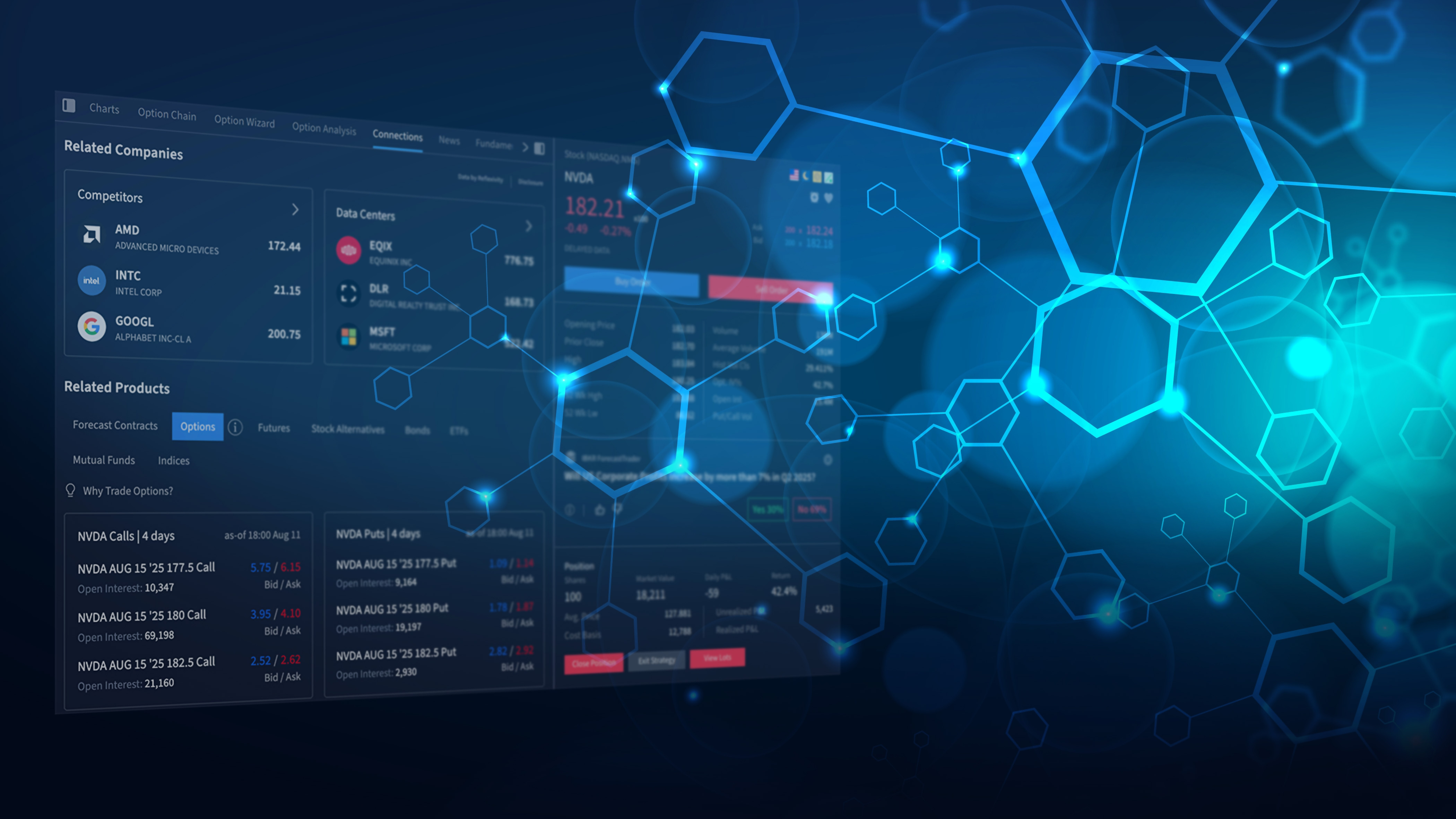
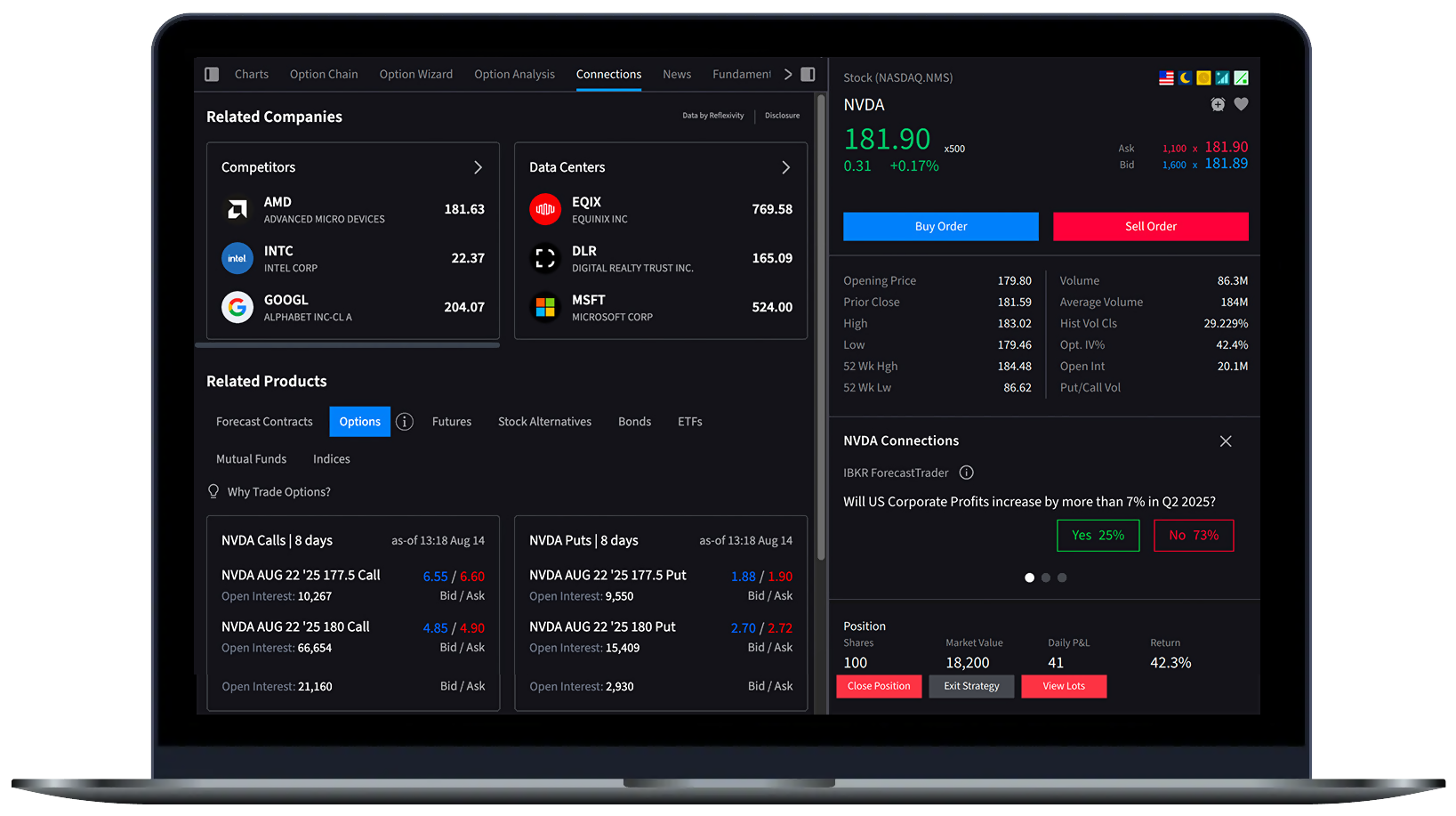
Connections gives investors a 360° view of the investment landscape surrounding any given stock. Explore Connections companies, thematic trends, Forecast Contracts, and sector-aligned ETFs, as well as tradable instruments like futures, options and bonds. Go deeper with strategies tied to key economic indicators such as housing data and interest rates, to identify opportunities or hedge exposure. Whether you are looking to build conviction or diversify your position, this is where informed investing starts.
Think Beyond the Ticker
Whether you are looking to increase exposure, diversify your portfolio, or hedge risks, this tool helps you connect the dots across Connections instruments, companies, and strategies so you never miss the bigger picture.
Connections contextualizes the big picture by providing information on:
- Peer Companies & Themes to help you understand how a stock fits with broader trends across market sectors
- Forecast Contracts to provide a forward-looking sentiment on ticker-relevant topics
- Stocks, Options, Futures, Bonds and Funds that may align with (or contradict) your strategic focus
- Macro Strategies for exploring ideas driven by housing, inflation, and interest rates
- Bullish and Bearish Strategies for transforming your insights into action
Discover How Far Your Idea Can Go
Connections is available in all our trading platforms. To get started, select a security, display the Quote Details window and select the Connections tab, or visit a user guide.
- Trader Workstation (TWS)
- IBKR Desktop
- IBKR Mobile (iOS)
- IBKR Mobile (iPad)
- IBKR Mobile (Android Phone)
- IBKR Mobile (Android Tablet)
- Client Portal
- Broker Portal
- Advisor Portal
Connections offers a comprehensive view of the investment landscape surrounding stocks, enabling investors to explore related instruments and strategies; however, users should conduct their own research and consider market risks before making investment decisions.

NEW PRODUCTS
Ask IBKR: Portfolio Intelligence Powered by AI
Now available to select clients in Client Portal and Advisor Portal
Stop Searching. Start Asking.
Ask IBKR is a breakthrough AI-powered tool that lets you interact with your portfolio using plain English. Skip the dashboards, reports, and filters. Simply ask a question and get instant, data-driven answers.
You can compare performance to the S&P 500, analyze sector exposure, or identify top dividend payers. Ask IBKR provides fast, actionable insights directly inside the platform.
Smarter Questions. Smarter Investing.
Ask IBKR supports a wide range of portfolio queries across five key areas:
- Portfolio Metrics – Analyze performance vs. benchmarks, identify valuation trends, track outperformance streaks
- Allocation Analysis – Review sector weights, cross-sector returns, and instrument types
- Holdings Exploration – Uncover dividend payers, country exposures, and top positions
- Activity Tracking – Monitor interest and fees, trading activity, and cash flows
- Performance Attribution – See how sectors contribute to returns vs. indices like the S&P 500
AI That Understands You
Ask IBKR suggests queries as you type and auto-completes key details such as benchmarks, timeframes, and accounts, helping you ask smarter questions and get answers faster.
Designed for the Way You Invest
Analyze any account you have access to, over flexible timeframes like MTD, YTD, 1M, and 1Y. Ask IBKR also evolves with your needs: user feedback helps guide which questions are supported next.
Select a trading platform to learn about using Ask IBKR.
The Ask IBKR tool provides data-driven insights for investment portfolios but does not guarantee success; users should be aware of market risks, data accuracy limitations, and the need for personal responsibility in investment decisions, and should consult a qualified financial advisor as needed. IBKR does not provide financial advice or recommendations.

 AI NEWS SUMMARIES
Save Time, Gain Insight and
Act Faster with AI News Summaries
Global financial markets move quickly, but AI News Summaries make it easier than ever to stay informed of the latest developments.
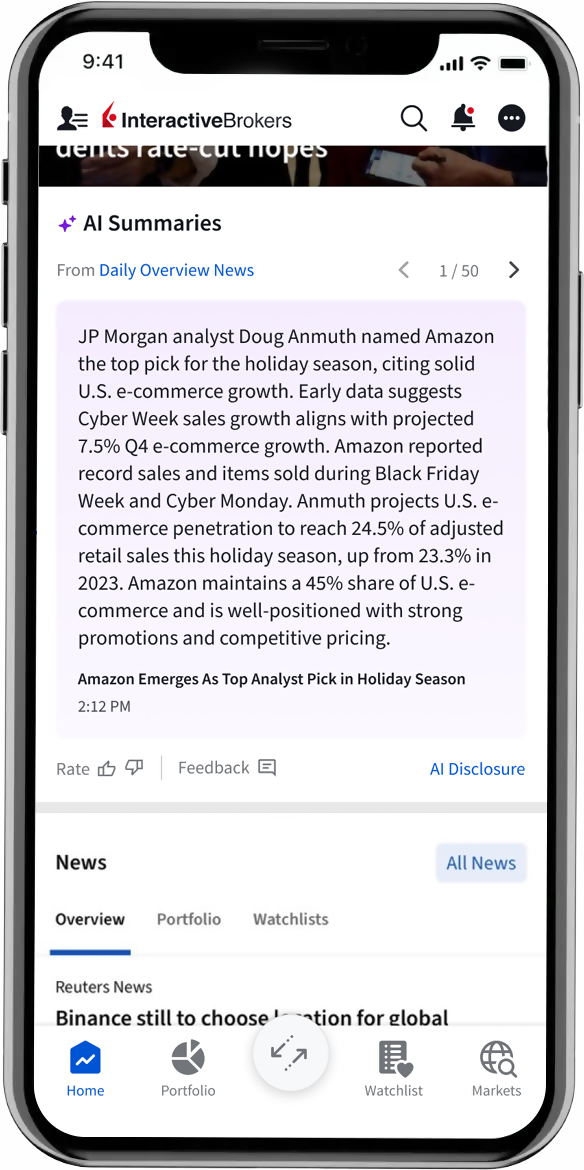
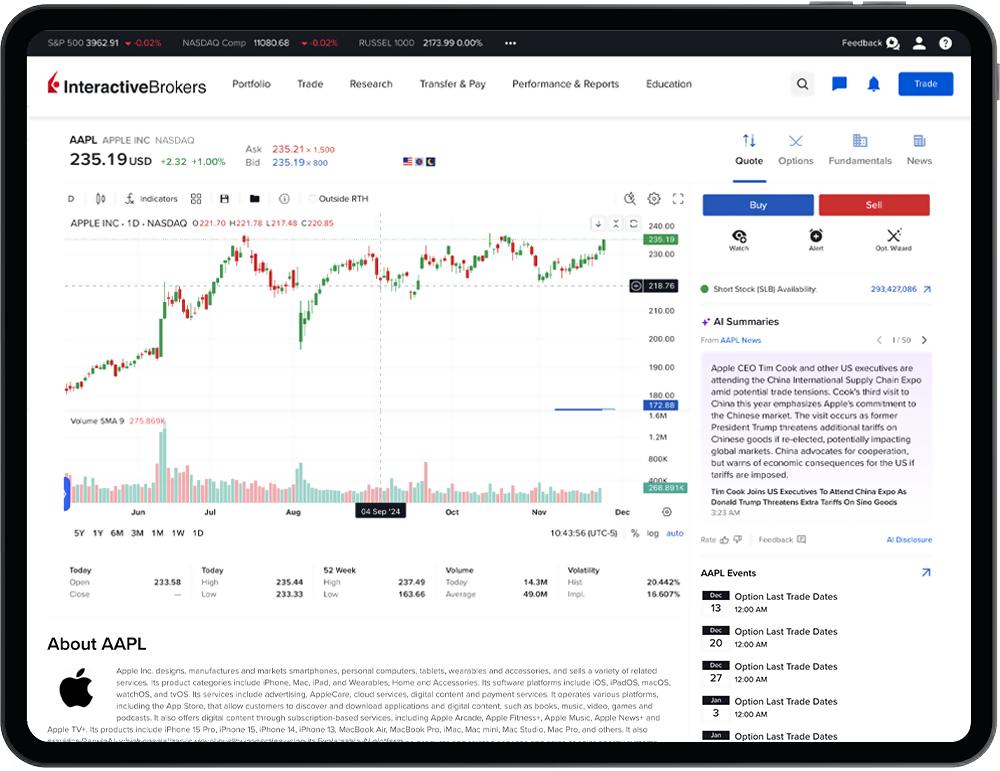
AI News Summaries uses generative AI to quickly summarize the key points of news published by select providers, saving you time and allowing you to react more quickly to changing market conditions.
Quickly distill large amounts of information into actionable insight.
Perform faster, near real-time updates as news breaks or additional information is made available.
Easily monitor and receive summaries tailored to the markets, sectors and asset classes most aligned with your interests.
AI News Summaries for your current positions are available via the Summaries widget on the Dashboard home page in Client Portal and IBKR Mobile.
AI News Summaries are available to clients of our IB affiliates in Canada, the UK, Europe, Australia, Hong Kong, Japan and Singapore.
NEW TOOLS
Interactive Brokers Launches IBKR GlobalTrader 2.0 with Smarter Tools and Faster Trading
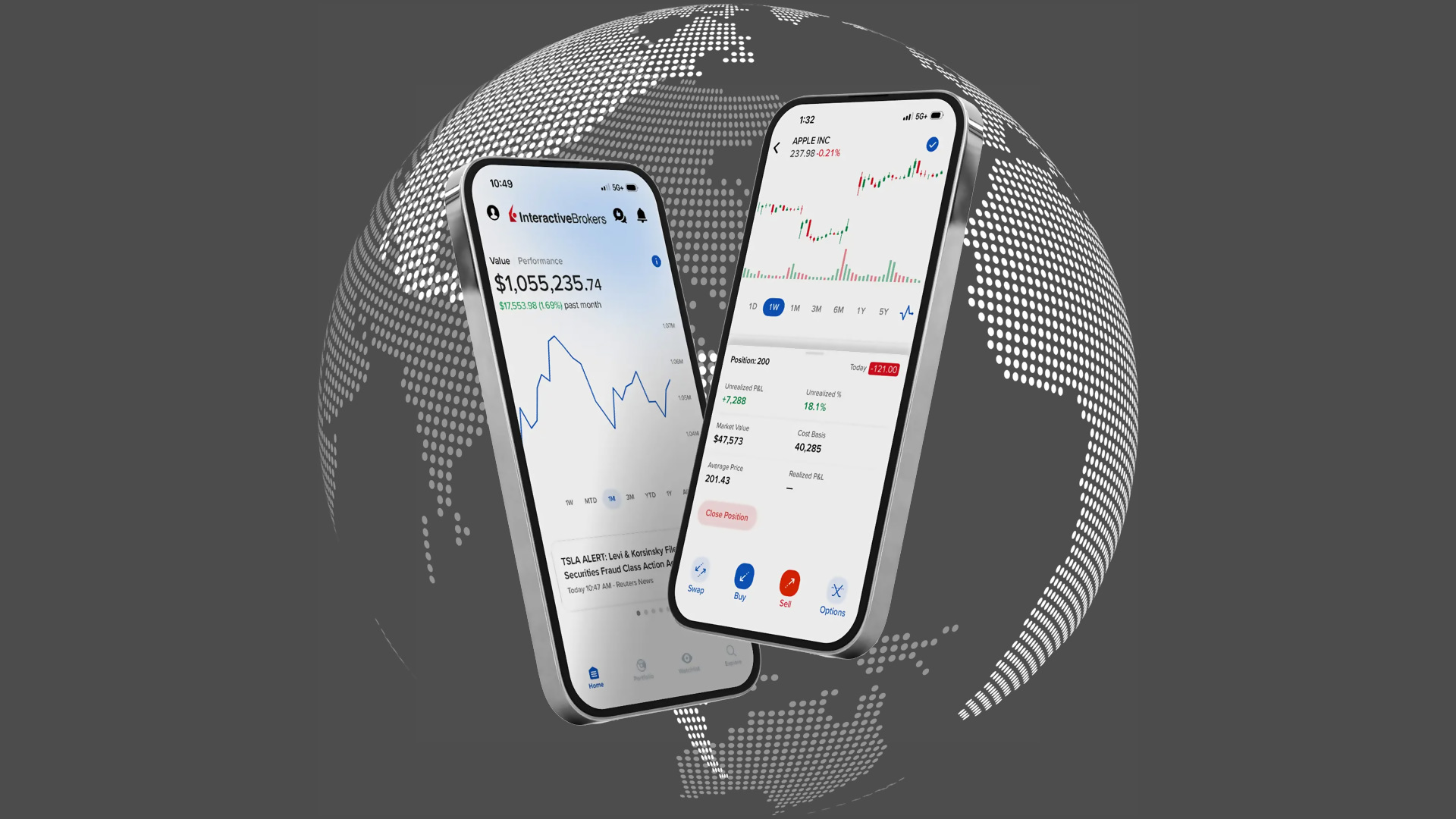
IBKR GlobalTrader is the streamlined mobile app designed for investors who want an easy yet powerful way to trade around the world. With version 2.0, clients gain access to smarter tools, faster execution, and expanded features that make global investing simpler than ever.
Key Highlights
Smarter Portfolio View
- Clean, modern layout to track holdings and performance
- Quick access to asset details, returns, and insights
Better Watchlists
- Customizable lists with expanded metrics
- Easy browsing and tracking across global markets
Expanded Trade History
- Access to deeper historical data
- Flexible filters to analyze trades and performance trends
Forecast Contract Trading
- In-app access to prediction markets
- New tools for trading contracts tied to economic, financial, and climate indicators
Faster Trade Execution
- Simplified order entry for speed and efficiency
- Designed for quick trades on the go
Easier Investment Discovery
- Smarter search and screeners to uncover new opportunities
- Tools to help investors expand their portfolio intelligently
With IBKR GlobalTrader, clients can access stocks, ETFs, options, mutual funds and more from an interface purpose-built for iOS and Android. IBKR GlobalTrader combines simplicity with advanced functionality, giving investors the flexibility to trade how, when, and where they choose.
IBKR GlobalTrader 2.0 makes it easier than ever to explore new markets, build smarter portfolios, and trade with confidence, anytime, anywhere.
Scan to download the
IBKR GlobalTrader app.
Download
IBKR GlobalTrader

New Tools
New Features Added
to IBKR Trading Platforms
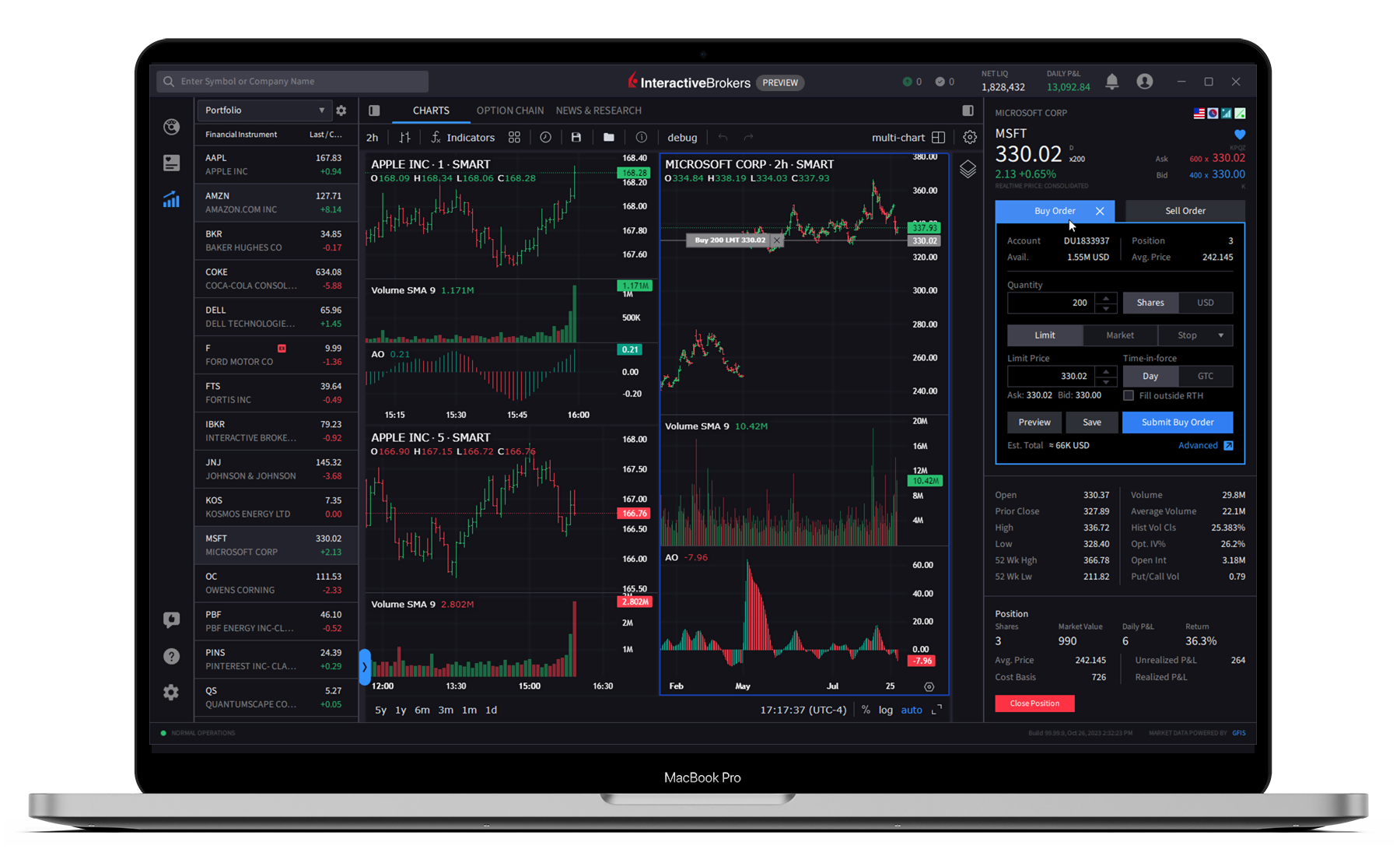
IBKR Desktop
Our newest client-driven desktop trading platform combines the most popular tools from our flagship Trader Workstation (TWS) with a growing suite of original features suggested by our clients. Version 1.0 is now available and includes the following enhancements:
- Level II Market Depth Widget: This widget displays the alternative bids and offers away from the inside quote to allow traders to better gauge market liquidity. Level 2 includes the price book and order book, listing all price levels of quotes submitted to an exchange and each individual quote. Note that an L2 market data subscription is needed to receive market depth and momentum statistics.
- Investment Themes: The new Investment Themes feature allows you to explore companies and details connected to a specific theme. You may then explore connections to the companies themselves.
- Multi-Language Support: We have updated language support for English, German, French, Spanish, Italian, Russian, Portuguese, Simplified Chinese, Traditional Chinese and Japanese.
- Time & Sales Widget: This widget displays a real-time log of executed trades, showing the time, price, size, and exchange of each transaction.
- Improved Search Experience: Global search now includes tools, features and financial instruments.
- Exit Strategy: This feature lets you place a bracket order on an existing position or working order. Bracket orders help limit losses and protect profits by placing two opposite-side orders that activate when the price reaches either trigger level.
- Customize Portfolio Metrics: We updated Portfolio Metrics to allow for the customization of displayed metrics.
- Strategy Builder Drawer: We enhanced the Strategy Builder to be more intuitive for options traders.
- ForecastTrader Tab: We added ForecastTrader Tiles and Tabs to enhance accessibility.
- Connections: The Connections tab surfaces stocks, ETFs, futures and other instruments closely tied to what you are viewing.
Beta Version 1.2 is also available and includes the following enhancements:
- Ask IBKR: Ask IBKR is an AI-powered tool that delivers instant portfolio insights through natural language inquiries. Categories of queries include:
- Portfolio Metrics: Compare performance against benchmarks, identify valuation changes over time, and highlight periods of outperformance or underperformance.
- Allocation Analysis: Analyze sector exposure, compare returns across asset classes, and assess performance by instrument type.
- Holdings Exploration: Identify top positions, review geographic allocations, and locate dividend-paying securities.
- Activity Tracking: Review trade history, monitor interest and fees, and analyze cash inflows and outflows.
- Improved Order Entry: We now offer configurable "QuickTrade" buttons which allows investors to place an order using fewer clicks.
- Simple Currency Conversion: We have added a feature that localizes P&L and allows for easy currency conversions.
- Close Specific Lots: Traders can now multi-select tax lots and place closing orders directly from the View Lots window.
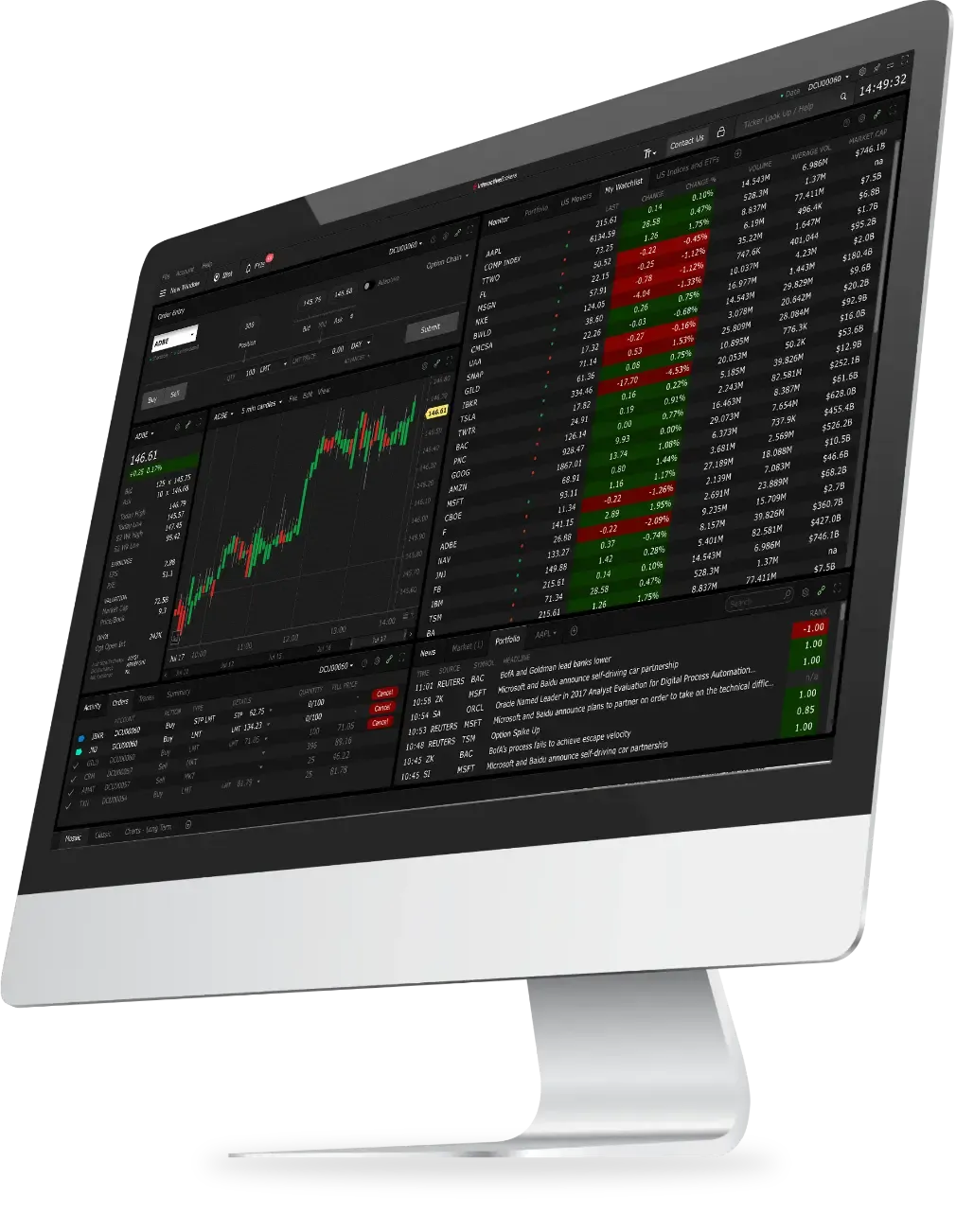
IBKR Trader Workstation (TWS)
Our flagship desktop platform is designed for seasoned, active traders who trade multiple products and require power and flexibility. We recently introduced the following features and/or enhancements to TWS:
- Close Specific Lots: You can now multi-select any tax lot(s) for which you would like to place a closing order directly within the View Lots window.
- Connections: The Connections tab surfaces stocks, ETFs, futures and other instruments closely tied to what you are viewing.
- Investment Themes: The new Investment Themes feature allows you to explore companies and details connected to a specific theme. You may then explore connections to the companies themselves.
- Year to Date P&L: Track cumulative results year-to-date to measure success and benchmark your trading performance.
IBKR Mobile
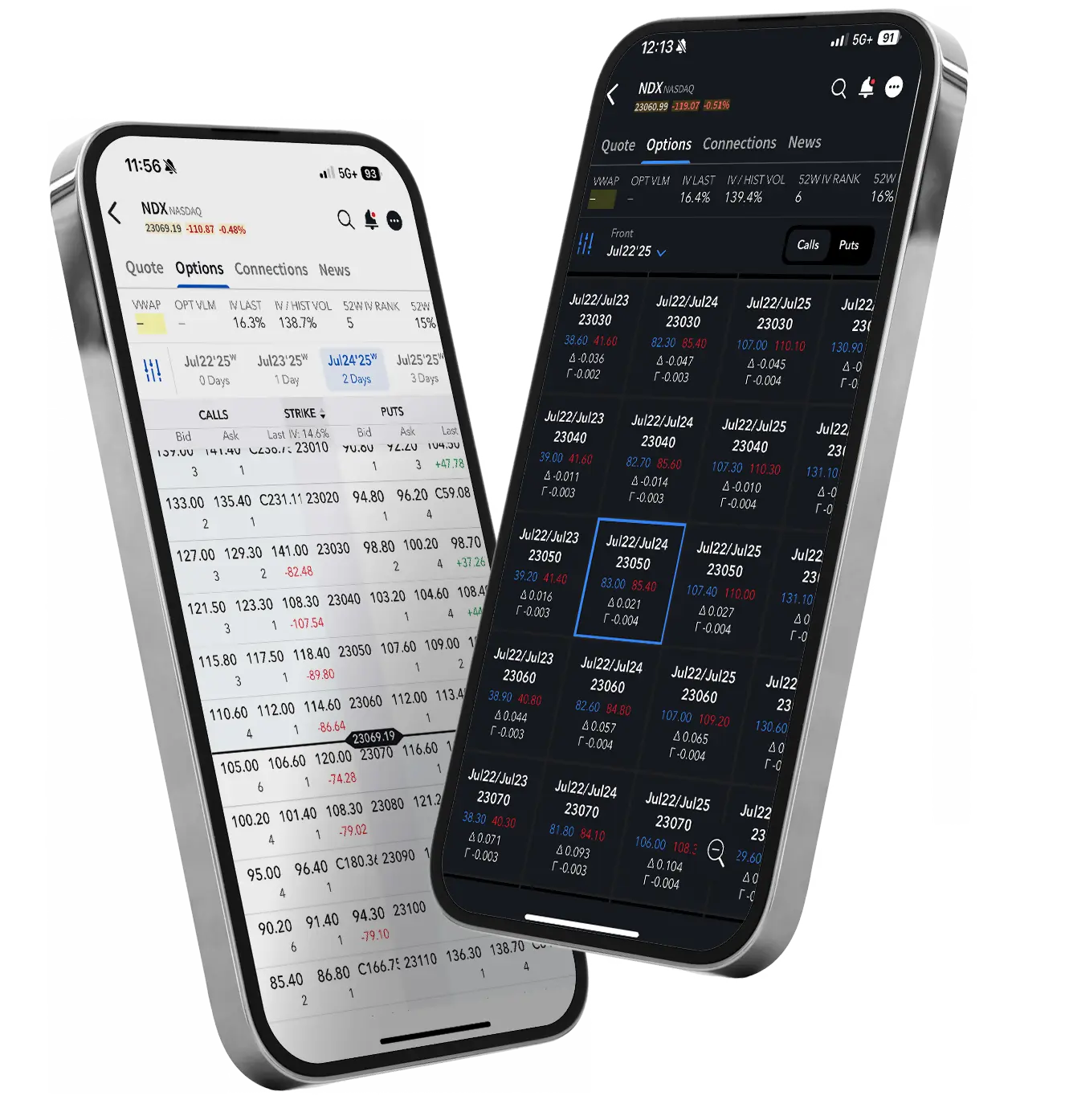
IBKR Mobile gives experienced traders the power to trade stocks, options, futures, currencies, bonds, and more across more than 160+ markets worldwide on the go. Wherever you are, you can access advanced order types and trading tools alongside the following new features:
- Simplified Watchlist: "List View", a new simplified view for Watchlists, is now available.
- Connections: The Connections tab surfaces stocks, ETFs, futures and other instruments closely tied to what you are viewing.
- Investment Themes: The new Investment Themes feature allows you to explore companies and details connected to a specific theme. You may then explore connections to the companies themselves.
- Bulk Editing for Alerts: You can now select/de-select existing alerts for one of three bulk actions. Choose Delete to deactivate any alert, Pause to suspend an active alert and Activate to reactivate any paused alert.
Client Portal
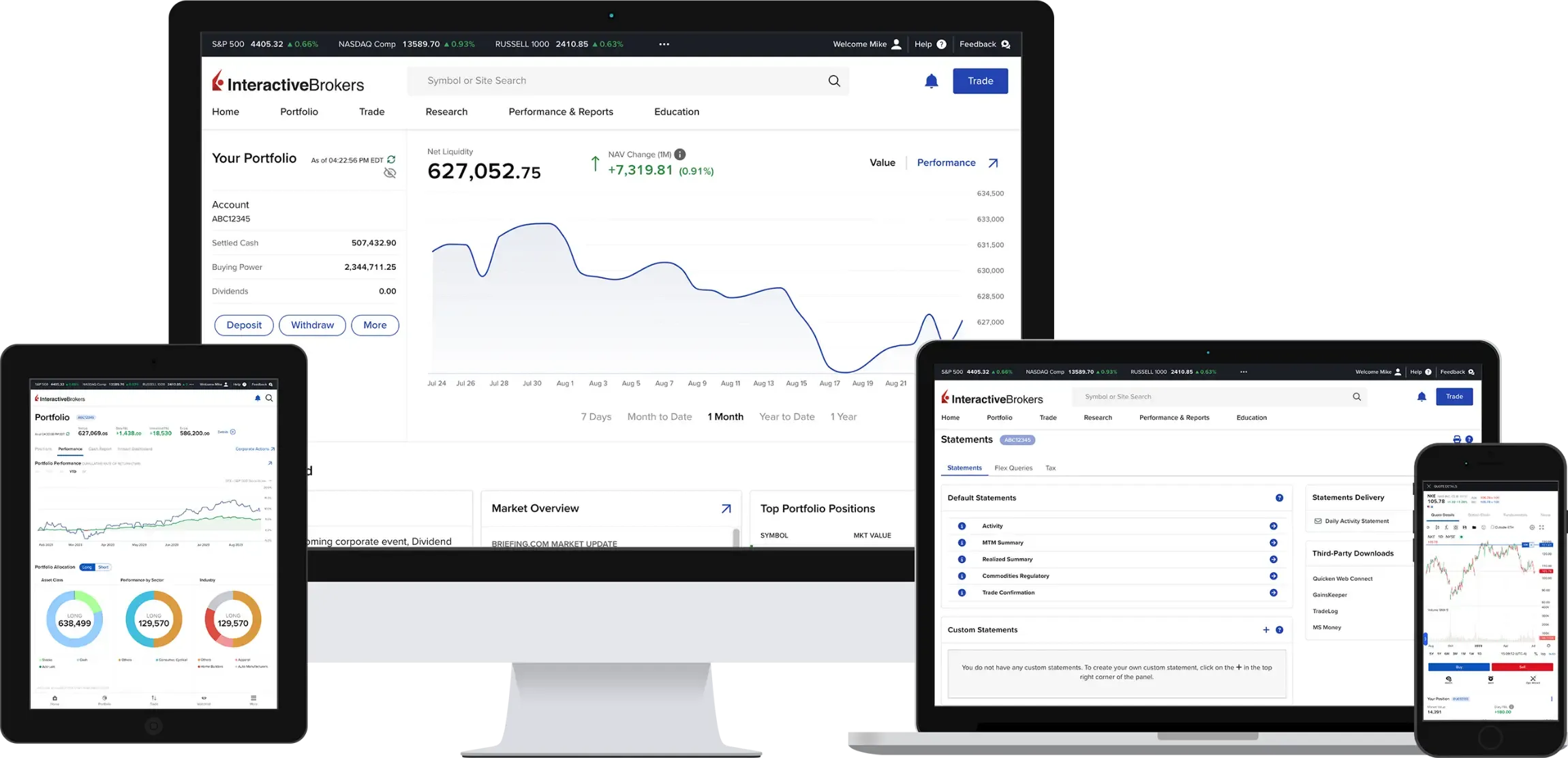
Access all the features you need with our easy-to-use web platform. View, trade, and manage your account with a single login. No downloads are required. Visit our website to learn more.
- Connections: The Connections tab surfaces stocks, ETFs, futures and other instruments closely tied to what you are viewing.
- Investment Themes: The new Investment Themes feature allows you to explore companies and details connected to a specific theme. You may then explore connections to the companies themselves.
IBKR GlobalTrader and IMPACT by Interactive Brokers
IBKR GlobalTrader and IMPACT provide a streamlined experience for trading stocks, ETFs and options worldwide. Invest with as little as $1 and trade in fractions. Visit our website to learn more.
- GlobalTrader 2.0 was released. IBKR GlobalTrader 2.0, a streamlined mobile app that delivers smarter tools, faster execution, and expanded features to help investors trade globally, manage portfolios, and discover new opportunities with greater speed and simplicity.
- IBKR ForecastTrader: Forecast contracts are now seamlessly integrated into the IBKR GlobalTrader app (iPhone and Android).
IBKR APIs
From our easy-to-use Excel API to our industrial strength FIX API, we offer something for every experience level. Our TWS API is well-supported with numerous examples to help you get started. Recent updates include:
Version 10.40
- Order Recovery
Beginning with Trader Workstation and IB Gateway 10.40, the Global Configuration > API > Setting will provide a new setting, "Maintain and resubmit orders when connection is restored". This setting will automatically maintain or resubmit orders on the platform after a network disconnect or following the auto-restart behavior. - Protocol Buffers
TWS API supports protocol buffers in all requests/responses.
Version 10.39
- TWS API supports protocol buffers in historical data, account data, positions requests/responses.
Version 10.38
- Better errors and exceptions handling.
- TWS API supports protocol buffers in completed orders, contract data, market data, market depth requests/responses.
Version 10.37
- TWS API supports protocol buffers in placeOrder/cancelOrder/reqGlobalCancel requests and error/openOrder/openOrdersEnd/orderStatus callbacks.
Version 10.36.01
- We have made additional changes and fixes to Protobuf.
Version 10.35.01
- We have made updates and fixes to Protobuf.
Options involve risk and are not suitable for all investors. For information on the uses and risks of options, you can obtain a copy of the Options Clearing Corporation risk disclosure document titled "Characteristics and Risks of Standardized Options" by visiting ibkr.com/occ.
Multiple leg strategies, including spreads, will incur multiple commission charges.
Scan to download the
IBKR GlobalTrader app.
Scan to download the
IBKR Mobile app.
Scan to download the
IMPACT app.
Download
IBKR GlobalTrader
Download
IBKR Mobile
Download
IMPACT
EXPANDED OFFERING
Automate Your Cryptocurrency Investing with Recurring Investments
NEW TOOL
New and Enhanced Services
for Advisors of Any Size
Interactive Brokers offers turnkey solutions that help advisors of any size build competitive advantage, efficiently manage their business and serve clients at a lower cost.

NEW TOOL
New and Enhanced Services
for Advisors of Any Size
Interactive Brokers offers turnkey solutions that help advisors of any size build competitive advantage, efficiently manage their business and serve clients at a lower cost.
We recently rolled out several enhancements to our Advisor services, including:
- Enhancements to the Advisor Fee process
The Advisor Fee Approval Form has been redesigned to improve presentation and readability. In addition, Docusign for fee approval changes is rolled out globally. Please note:- Docusign was added as a new option.
- Client Portal consent is still available to all.
- The manual generation of the PDF requires a physical signature.
- Docusign was rolled out to the fully electronic application
IBLLC advisor clients can now sign the application via Docusign or by physically signing and returning the application.
- New Client Portal for Advisor Clients
An updated version of Client Portal was released for advisor clients. This version of Client Portal offers a streamlined experience for your clients and eliminates inapplicable tools and widgets. - Advisors can request one-way transfer associations between accounts
You can now submit a Transfer Association from the Transfer Funds or Transfer Positions page. Visit our Advisor Portal User Guide for more information. - View Transaction History
We have added a new Transaction History page under Performance and Reporting. The Transaction History page allows clients to view all their transactions in one place without needing to run an activity statement.
NEW OFFERING
Participating in Class Action Lawsuits Is Straightforward with IBKR’s Securities Class Action Recovery Solution
The IBKR Securities Class Action Recovery solution is an automated service that removes the administrative burden of participating in a securities class action lawsuit.
IBKR’s Securities Class Action Recovery tracks securities class action lawsuits globally to identify cases where investors may be eligible for compensation. It gathers relevant transaction data and determines whether you are eligible to file a claim for securities you bought or sold through IBKR in the past. When applicable, the service will submit filings to claims administrators on your behalf and seek to recover funds for compensation. Any recovered amounts will be electronically deposited into your IBKR account.
Securities Class Action Recovery benefits include:
- Automated Claims Processing
Saves you from the time-consuming process of filing claims manually. - Maximized Recovery
Ensures eligible investors receive their fair share of a settlement. - No Upfront Costs
Services are offered on a contingency basis, with all recovered amounts subject to a 20% contingency fee as detailed in the Terms & Conditions.
The following Interactive Brokers LLC client types are eligible for Securities Class Action Recovery:
- Individual, Joint, or Trust Account User
- Small Business Account User
- Proprietary Trading Group Master
- Broker Master (Master Account only)
- Broker Clients
- Advisor Clients
- Investment Manager Master Accounts
- Funds
Interested in subscribing to the Securities Class Action Recovery service?
If you would like to subscribe to the Securities Class Action Recovery service, please log in to Portal and navigate to the User ("head/shoulders" icon) > Settings - Securities Class Action Recovery menu item.
EXPANDED OFFERING
New Funds and Fund Families
Available at the Mutual Fund Marketplace
The Interactive Brokers Mutual Fund Marketplace provides clients from over 200 countries and territories with access to more than 50,000 funds from over 500 fund families, including Allianz, American Funds, BlackRock, Fidelity, Franklin Templeton, Invesco, MFS and PIMCO.
Unlike most firms, IBKR never charges a custody fee. In addition, we offer over 20,000 funds with no transaction fees and low, transparent commissions. Within the US, commissions are the lesser of USD 14.95 or 3% of the trade value, while fee funds outside the US are EUR 4.95 (or equivalent).
To help provide you with a broad selection of funds, we recently added the following fund families to the Marketplace:
Global Fund Families
- 2Xideas AG
- Alken Asset Management
- Alquity
- Artisan Partners
- Ashoka Whiteoak Capital
- Azvalor
- CQS Group
- Daiwa Asset Management
- Dalton Capital Group
- Daman Investments
- Dorval AM
- Dragon Capital Group
- EPIC Investment Partners
- Fulcrum Asset Management
- Gay-Lussac Gestion
- GQG
- Gresham House
- Hawksmoor
- Lansdowne Partners
- Legal & General
- Lydian Lion LTD
- Metagestion
- M&G
- Momentum Global Investment
- Oaktree Capital Management
- Osmosis IM
- Pacific Capital Partners
- Protea Capital Management
- Pzena Investment Management
- Raiffeisen Capital
- Raymond James
- Redwheel
- Renta4 Luxembourg
- Royal London
- SW Mitchell Capital
- Safe Capital
- SEI
- Seilern Funds
- 7IM
- Skyline
- Stonehage Fleming
- Thornbridge Investment Management
- Verbatim Financial
- Veritas Asset Management
- VP Fund Solutions
US Fund Families
- Bishop Street Funds
- Embassy Funds
- North Capital Inc
- Modern Capital Funds
- Polar Capital
- The Caldwell & Orkin Funds
NEW PRODUCTS
It is Easier than Ever to Find
Your Next Investment Opportunity
- Eurex Global Credit Index Futures (FECX, FEHY, FGBC, FUEM)
- CME XRP (XRP) and Micro XRP (MXP) Futures
- CME Micro Bitcoin (EBM) and CME Micro Ether Euro Futures
- CME E-Mini S&P 500 Equal Weight Futures (EWF)
- iBOXX Emerging Market Index Futures (IEMD)
- Phase 1 of the Minimum Spreads Reduction was launched on 4 August 2025. As of that date, stocks with a price band of HKD 10-20 will now tick in HKD 0.01 increments and stocks between HKD 20-50 will tick in increments of HKD 0.02.
FEATURED OFFERING
News, Research and Market Commentary Providers Available on the IBKR Platform

- Focus: Research - Macro, Quantitative, Thematic
- Asset Class Coverage: Equities
- Supported Languages: English
- Frequency: Intraday




IBKR Advantage

Financial Confidence Starts Here
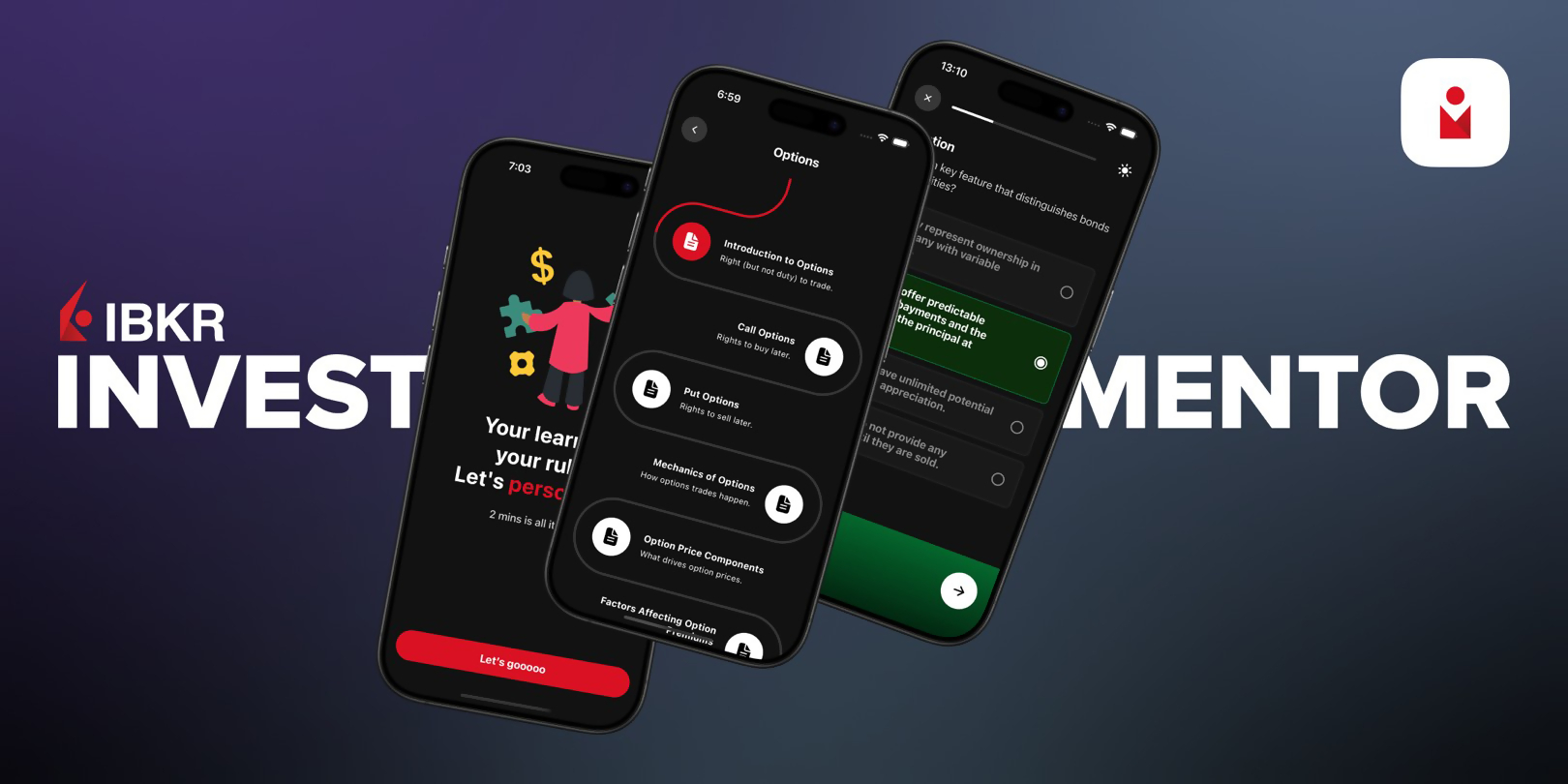
Interactive Brokers has launched IBKR InvestMentor, a new mobile microlearning app developed by its wholly owned subsidiary, Interactive Academy LLC.
IBKR InvestMentor is a fun and engaging way to learn about investing and personal finance. Designed for users at any stage of their financial journey, the app offers a clear and interactive path to understanding key financial concepts. From stock markets to personal finance strategies, it helps users gain the confidence and knowledge needed to make informed decisions.
The app delivers practical, bite-sized lessons tailored to individual learning preferences. Whether you are just starting out or already familiar with investing, IBKR InvestMentor adapts to your goals and interests. Lessons are short and easy to fit into a busy schedule, while interactive tools, quizzes, and real-world examples reinforce understanding and promote active learning.
Getting started is simple. Just sign up, customize your profile, and begin learning. With each step, users are guided through personalized, interactive content that builds both confidence and competence. IBKR InvestMentor turns financial education into an empowering and enjoyable experience, helping users take control of their financial future. Build your financial skills one lesson at a time. Start learning with InvestMentor.

Smart Investors Never Stop Learning
IBKR Campus is Interactive Brokers’ educational hub, designed to help clients and the public deepen their knowledge of trading, financial markets, and IBKR’s powerful trading tools.
Explore free resources to strengthen your market understanding, enhance your trading skills, and stay informed on current events.

IBKR ToolBox

NEW - Interactive Options Trading Education


Topics
IBKR Commentary


Languages
Other Topics


IBKR ADVANTAGE
Protecting Your Account
- Factor One: Each account requires a unique username/password combination for access.
- Factor Two: Secure Login System. Participants receive a personal security device that provides a randomly generated security code. This code is used with your username and password to access secure areas. Click here for additional details on the Secure Login System.
- IBKR deploys 2048-bit EV Certificates and TLS 128-bit or higher encryption to establish a secure connection and ensure the confidentiality and integrity of information passed between your computer and IBKR. Activate SSL by checking the "Use SSL" box on the TWS login dialog. Using SSL may impact the performance of your PC depending on its capabilities.
- Automated monitoring systems ensure only strong encryption algorithms are used.
- IBKR enforces all website traffic to use encryption.
- EV (Extended Validation) technology verifies that you are on a protected website.
- Restricts access to TWS to a specific list of IP addresses. In cases where multiple traders have access to an account, these restrictions can be set at the individual trader level.
- IBKR restricts account access following a specified number of failed login attempts.
- We have built in an auto-logoff feature that logs you out of the application after a specified period of inactivity.
- All statements are accessed through secure login to Portal.
- We employ state-of-the-art transaction monitoring systems and maintain a dedicated security team that is responsible for detecting suspicious activity. If an unusual or suspicious transaction is noted, a member of this team may contact you to confirm the validity of the transaction. If contacted, you will never be asked to provide your password, and we encourage that you call back and request to speak to the security team employee via our toll-free number 1-877-442-2757 to first confirm their identity. If you believe that your account has been compromised, you should notify IBKR immediately via our toll-free number 1-877-442-2757.
- Spyware
This refers to software inadvertently downloaded from the Internet when you visit certain websites. Spyware covertly gathers information from your computer without your knowledge. Once installed, spyware monitors your activity on the Internet and transmits that information (including usernames and passwords) to an unauthorized recipient. You should install anti-spyware software on your computer to detect and remove spyware. - Phishing
Thieves use phishing to obtain sensitive information by masquerading as a trustworthy institution. Phishing is typically carried out via an email that contains a link to what appears to be an authentic website. These counterfeit sites prompt you to enter your personal information, which the thieves then use to access your accounts. Note that IBKR will never send an email requesting sensitive information such as your password or social security number. If you receive a suspicious email which identifies itself as originating from IBKR:- Check the domain name in your browser to see whether it is the official website of Interactive Brokers; if not, it is likely fake.
- When in doubt, directly access your account from the log in button on the Interactive Brokers website.
- Viruses, Worms & Trojan Horses
These malicious programs can cause severe and irreparable damage to your hardware, software or files, and in some cases can open your system to unauthorized access and allow confidential information to be compromised. These programs, which differ on how they spread and replicate, are best controlled by first ensuring that your operating system is up-to-date and then installing anti-virus software, making sure that you frequently download updates to obtain the latest fixes.

IBKR REPORT
Interactive Brokers 2024 Sustainability Report
For decades, Interactive Brokers has thrived on supporting our clients with the best investment technology and market data to enable meaningful financial investment experiences. We recognize that our ability to continue to innovate for our clients is due to the unwavering commitment of our people. Sustainability to us means continually improving how we advance our business responsibly through the support of our people, clients, communities, and environment globally.
We are pleased to share our Sustainability Report, which focuses on the four main areas of our sustainability strategy:
- Leadership
- Environment
- Our People, Clients and Communities
- Resilience and Governance
The report reviews our ongoing efforts to implement responsible business practices and sustainability initiatives, detailing our progress and performance.
2025
An Award-Winning Year!
In 2025, Interactive Brokers has been recognized around the world for low costs, breadth of product and advanced trading technology.
2025 StockBrokers.com Review
- #1 Active Traders
- #1 Ethical Investing
- #1 International Trading
- #1 Margin Trading
- #1 Professional Trading
- #1 Range of Investments
- #1 Trader App
- Best in Class Active Traders
- Best in Class Beginners
- Best in Class Casual Investors
- Best in Class Ease of Use
- Best in Class Education
- Best in Class Futures Trading
- Best in Class High Net Worth Investors
- Best in Class Investor Community
- Best in Class Mobile Trading Apps
- Best in Class Options Trading
- Best in Class Overall
- Best in Class Passive Investors
- Best in Class Platforms & Tools
- Best in Class Range of Investments
- Best in Class Research
2025 Preqin Awards
- #1 Prime Broker for Hedge Funds with AUM < $50 million
- #4 Prime Broker Overall
2025 ForexBrokers.com Online Broker Review
- 5 out of 5 stars Overall
- #1 Professional Trading
- #1 ESG Offering
- #1 Innovation
- #1 Institutional Clients
- #1 New Trading Tool
- #1 Professional Trading
- #1 Range of Investments
- Best in Class Algo Trading
- Best in Class Commissions & Fees
- Best in Class Crypto Trading
- Best in Class Education
- Best in Class Mobile Trading Apps
- Best in Class Overall
- Best in Class Platforms & Tools
- Best in Class Professional Trading
- Best in Class Range of Investments
- Best in Class Research
- Best in Class TradingView
- Best in Class Trust Score
2025 BrokerChooser Best Online Brokers
- Best Online Broker
- Best Broker for Stock Trading
- Best Broker for Margin Trading
- Best Broker for TradingView
- Best Broker for Day Trading
- Best Broker Account for Businesses

2025 Good Money Guide Awards
- Best DMA/Investment Account
- Best Futures Broker
- Best Options Broker

2025 Investing in the Web Global Broker Awards
- Best Broker Overall
- Best Broker for Options
- Best Broker for Bonds
- Best Broker for Corporate Accounts
- Best ESG and Impact Investing App
2025 Australian Finder Awards
- Best for Global Stocks
- Best for US Stocks
- Best for Options
- Best Platform for Share Trading Features