Interactive Brokers | NEWs @ IBKR Vol. 20
News @ IBKR
2023 - Volume 20
IBKR Advantage
Trade Popular US Stocks
and ETFs Around the Clock
IBKR Advantage
IBKR Clients Earn Up to USD 4.58% on Instantly Available Cash Balances
IBKR Advantage
Additional Security for the Uninvested Cash Held in Your Brokerage Account
EXPANDED OFFERING
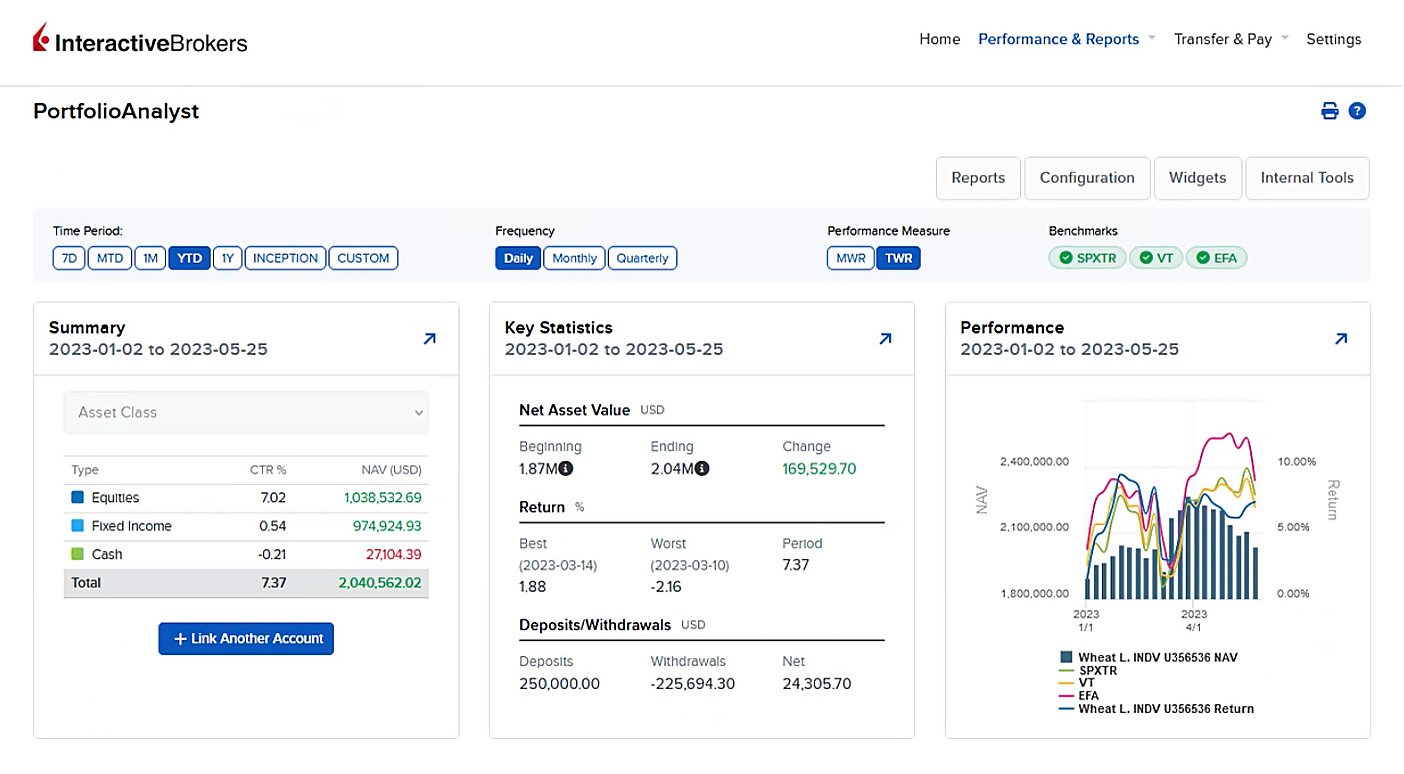
PortfolioAnalyst

NEW PRODUCTS
New Products Available on the IBKR Platform
CBOE
- SPX Index Options – Standard (SPX)
- SPX Index Options – SPX Weeklys and End-of-Month (SPXW)
- Mini-SPX Options (XSP)
- Nano S&P 500 Index Options
CME
- E-mini Russell 2000 Tuesday and Thursday Futures Options (RTY | R1-5U, R1-5D)
- Tuesday and Thursday Weekly Futures Options on Australian Dollar (AUD), Canadian Dollar (CAD), Euro (EUR), Great British Pound (GBP) and Japanese Yen (JPY) Futures
- Two, three and four year mid-curve FOP on three month SOFR futures (S2, S3, S4)
- Monday, Tuesday, Wednesday, Thursday Weekly Futures Options on Micro E-mini S&P 500 and Micro E-mini Nasdaq-100 Futures
- Bitcoin Event Contracts
- CME Alternative Investment Product Fee Schedules
- Effective through August 31, 2023, the Exchange Fees for all Globex, EFP, EFR, Block and BTIC transactions in Micro Bitcoin Futures will be discounted to $0.70 for members and to $1.00 for non-members.
- Effective through August 31, 2023, the Exchange Fees for all Globex, EFP, EFR, Block and BTIC transactions in Micro Ether Futures will be discounted to $0.07 for members and to $0.10 for non-members.
- CME Other Fees and Discounts
- Event Contracts – Cash Settlement Fee waiver extended through August 31, 2023.
ICE Futures US (NYBOT)
- ICE Futures Options on Three Month SONIA Index Futures (SO3)
- A note for clients who hold or recently held a future and/or future options position in one of the following products on the ICE Futures US exchange: CT (FUT, OPT), SB (FUT), SO (OPT), SF (FUT), KC (FUT), KO (OPT), OJ (FUT, OPT). The display of prices for these products was recently changed from dollars to cents. This change has no effect on your trading and/or the market value of your positions.
EUREX
- Eurex Options on Micro DAX 40 Index (ODXS)
- Attention CTCI or TWS API users who recently executed a Eurex exchange-traded derivative (“ETD”). Please note that as of March 27, 2023, Eurex requires a new symbology for their ETD contract. On or after this date, symbols currently used to trade ETD products will no longer be accepted. Please make sure your systems have been modified to address the new Eurex symbology. Links to the Eurex providing detailed information on the new symbology are as follows:
Nasdaq Copenhagen Exchange (CPH)
Prague Stock Exchange (PRA)
Hong Kong Futures Exchange (HKFE)
Taiwan Stock Exchange (TWSE)
Osaka Stock Exchange (OSE)
Singapore Exchange (SGX)
National Stock Exchange of India (NSE)
New Tools
New Features Added to
IBKR Trading Platforms
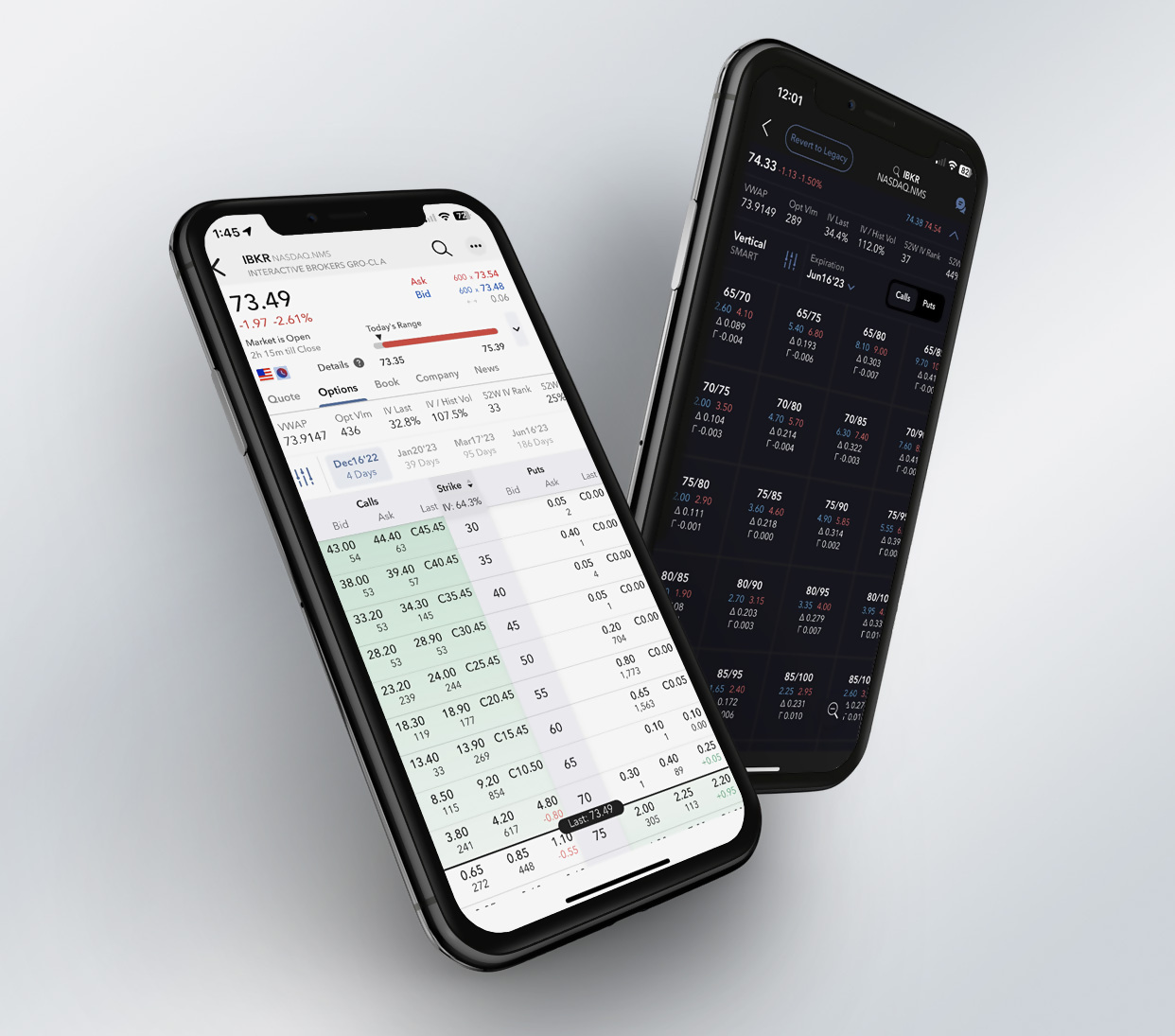
IBKR Mobile
- Discover: Discover ideas and new markets for potential investments using the Discover tool, your link to market-defining third-party content selected specifically to help you improve your success as a trader. Discover supports content from Trading Central, a premium, one-stop shop for investment decision support.
- Recurring Investments: Put your favorite investments on autopilot with recurring investments in the stocks and ETFs of your choice! Previously offered in Client Portal, now also available in IBKR Mobile. Tap "Recurring" in the Trade Launchpad to create investment schedules. Monitor, add, edit, or cancel investments at any time. Learn more on our website.
- Improved Login Screen: IBKR Mobile for Android now supports Face Authentication for devices that support it.
- Quote Details: You can now put positions and orders into the Quote tab instead of showing them in the swipe-up drawer at the bottom of the screen. Tap three horizontal dots in the top right corner of Quote Details, then tap Position Display. Select "In-Line" to move this widget just below the chart in the Quote tab.
- Navigation Improvements: As part of our ongoing efforts to improve navigation within IBKR Mobile, you can now reorganize tabs on your Portfolio, and access Quote Details from the Trade Details screen.
In the Settings menu we have:- Added sub-pages to group similar settings together and renamed settings to reflect their functionality more directly.
- Added sub-pages to group similar settings together and renamed settings to reflect their functionality more directly.
- Moved function-specific settings out of Configuration and into their function's overflow menus, for example the "Tap to Transmit Order" feature was moved to Order Entry, and "Sync Watchlist Columns" was moved to Watchlist.
- Removed settings that are not used, for example the "Device Name" setting.
Trader Workstation (TWS)
- IBUSOPT Destination: Clients who trade US options can now choose to direct route their options orders to IBUSOPT to participate in the retail order flow for US equity and index options.
- Morningstar Analyst Ratings Data: We recently added Morningstar proprietary Ratings and Analyst Commentary to Fundamentals Explorer for both Equities, and Funds/ETFs. This includes Morningstar's latest update to Funds/ETF data – the Medalist Rating. See an overview in the Morningstar summary tile when you open Fundamentals Explorer, and find complete data in the Analyst Ratings tab.
Morningstar Analyst Ratings Data is available in TWS, Client Portal and IBKR Mobile. - Orbisa Securities Lending Dashboard: Now get access to the same valuable short/securities lending data for US equities historically available only to banks, broker-dealers and institutional investors. The Orbisa Securities Lending Dashboard in Fundamentals Explorer gives you professional-level access to key metrics and data to see when borrowing demand is increasing or decreasing so you're better able to gauge in which direction market sentiment is trending. Orbisa data includes 189,000 unique securities over more than 50 global markets. The Securities Lending Dashboard is available in TWS and Client Portal and coming soon to IBKR Mobile.
IBKR GlobalTrader and IMPACT
- Recurring Investments: Put your favorite investments on autopilot with recurring investments in the stocks and ETFs of your choice! Previously offered in Client Portal, now also available in IBKR GlobalTrader and IMPACT. Tap "Recurring" in the Trade Launchpad to create investment schedules. Monitor, add, edit, or cancel investments at any time. Find out more in the Recurring Investment Feature article.
- We've improved interactions with options — for example, you can now easily see when markets are open and find products to trade.
- Android device users can now use Face Authentication for devices that support it.
Client Portal
- Discover ideas and new markets for potential investments using the Discover tool, your link to market-defining third-party content selected specifically to help you improve your success as a trader. Currently Discover supports content from Trading Central, a premium, one stop shop for investment decision support. Find Discover in the Research menu and select the third-party data you would like to see, for example Trading Central. Use the sub-tabs to dig deeper. Find out more in the Client Portal release notes.
- The "Morning Expiration" notice for relevant options is shown in Quote Details and on Exercise/Lapse screens.
- Consolidated Navigation in Advisor Portal is the new default.
For Advisors: Tax Loss Harvest Tool
- We are pleased to introduce our Tax Loss Harvest tool. Advisors can use this tool to realize the tax benefits of both long- and short-term capital losses more easily. To open the tool, right-click a position and select Tax Loss Harvest. Find out more about using Tax Loss Harvesting in the TWS Release Notes.
Download
IBKR GlobalTrader


Download
IBKR Mobile
Download
IMPACT
NEW TOOL
Achieve Better Price Execution on US Options Trades with the IBUSOPT Destination and Options Liquidity Tool

NEW TOOL
Interactive Brokers LLC Introduces Two More Levels of Options Trading Permissions
| Options Trading Permission Level | Summary |
| Level 1 | Covered calls are allowed. |
| Level 2 | Everything in Level 1, plus covered options positions such as long calls/puts, long straddles/strangles and protective calls/puts. |
| Level 3 | Everything in Levels 1 and 2, plus options strategies that have limited maximum potential loss such as short puts and short, long or unbalanced butterflies. |
| Level 4 | All options strategies are allowed. |
NEW TOOL
New Services for
Advisors of Any Size
Interactive Brokers offers turnkey solutions that help advisors of any size build competitive advantage, efficiently manage their business and serve clients at low cost.

NEW TOOL
New Services for
Advisors of Any Size

Streamlined Client Management
- Operational Control: This new model allows you to complete various tasks, such as funding requests and information changes, on behalf of your clients. Once entered by the advisor, clients will use a simplified process to approve, sign and confirm your action.
- Enhanced Dashboard: We have enhanced the Client Pending Items tab (formerly Pending Items) on our Dashboard. This tab will show you all pending tasks for your clients and either allow you, as the advisor, to complete the task on behalf of the client or send an automated email asking your client to address the task.
- Improved Messaging: We have redesigned our Sub Account Messages tab and streamlined communications from IBKR by aggregating, categorizing and routing messages to the advisor to avoid unnecessary client contact.
- Streamlined simplifies the process by which clients approve funding requests, sign agreements and confirm changes and instructions entered by their advisor. Advisors can customize specific features, and communications from IBKR are aggregated, categorized and routed to the advisor to avoid unnecessary client contact. All clients are automatically enrolled.
- Streamlined Plus allows advisors to perform certain administrative tasks on behalf of their clients, who can approve their advisor's actions without logging into Client Portal. Clients are automatically enrolled during the application process and the same advisor authorizations are applied to all.
- Full-Service clients enroll individually and choose the powers they wish to grant their advisor, which can include moving funds or assets on their behalf and performing a broad range of administrative tasks.
Enhanced CRM and Introduction of Docusign
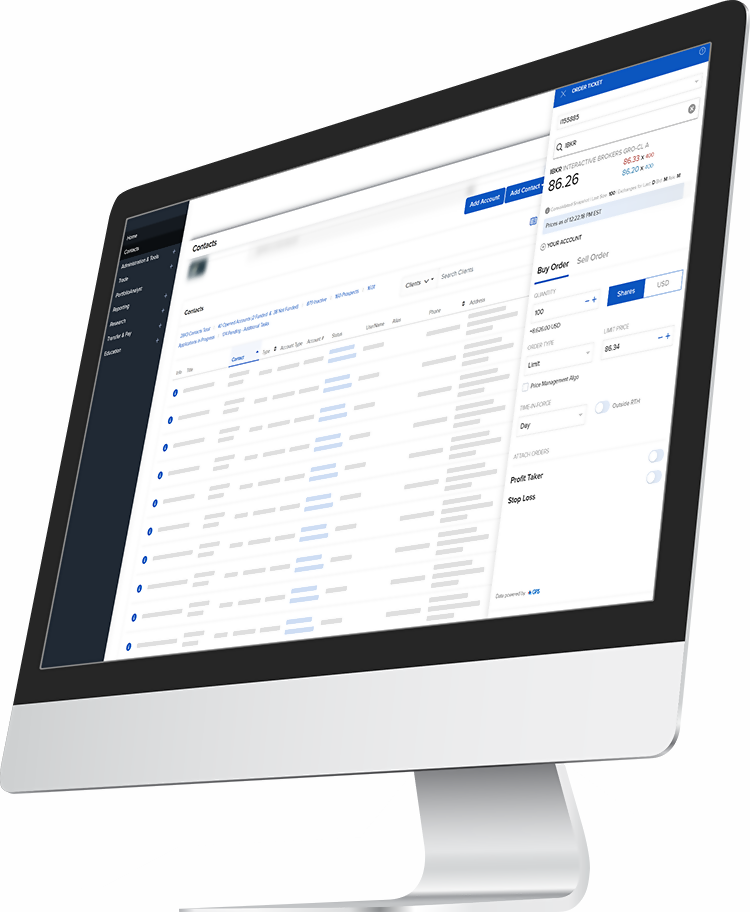
Introducing Custom Indexing
How It Works
- No expense ratio
- Low to no commissions
- Low minimums
- Ability to customize and personalize to suit client needs
- Flexibility when harvesting tax losses
- Set cash targets
- Exclude any selected stocks
- Apply ESG-related exclusion lists (e.g., 'Fossil fuels')
- Set custom rules (e.g., exclude small cap stocks; overweight stocks where PE is within a certain range and stock is in a particular sector; and so on)
- Swap stocks in the model for stocks you want with a single click

EXPANDED OFFERING
New Funds and Fund Families
Available at the Mutual Funds Marketplace
Global Fund Families
- Alma Capital (LU)
- AQA Capital Ltd (LU)
- Bank Julius Baer
- BNY Mellon IM (IE)
- BNP Paribas III N.V.
- WHEB AM (IE)
- HSBC Global (IE)
- Nevastar Finance (LU)
- Human Edge Funds
- PGIM LTD (IE)
- Gemini Capital Mgmt (IE)
- Jupiter UT Mgrs TLTD. (GB)
US Fund Families
- Advisors Asset Mgmt. (AAM) Funds
- Aristotle Funds
- FBP Funds
- Summit Global Funds
EXPANDED OFFERING
Find Your Next Opportunity at the Bond Marketplace
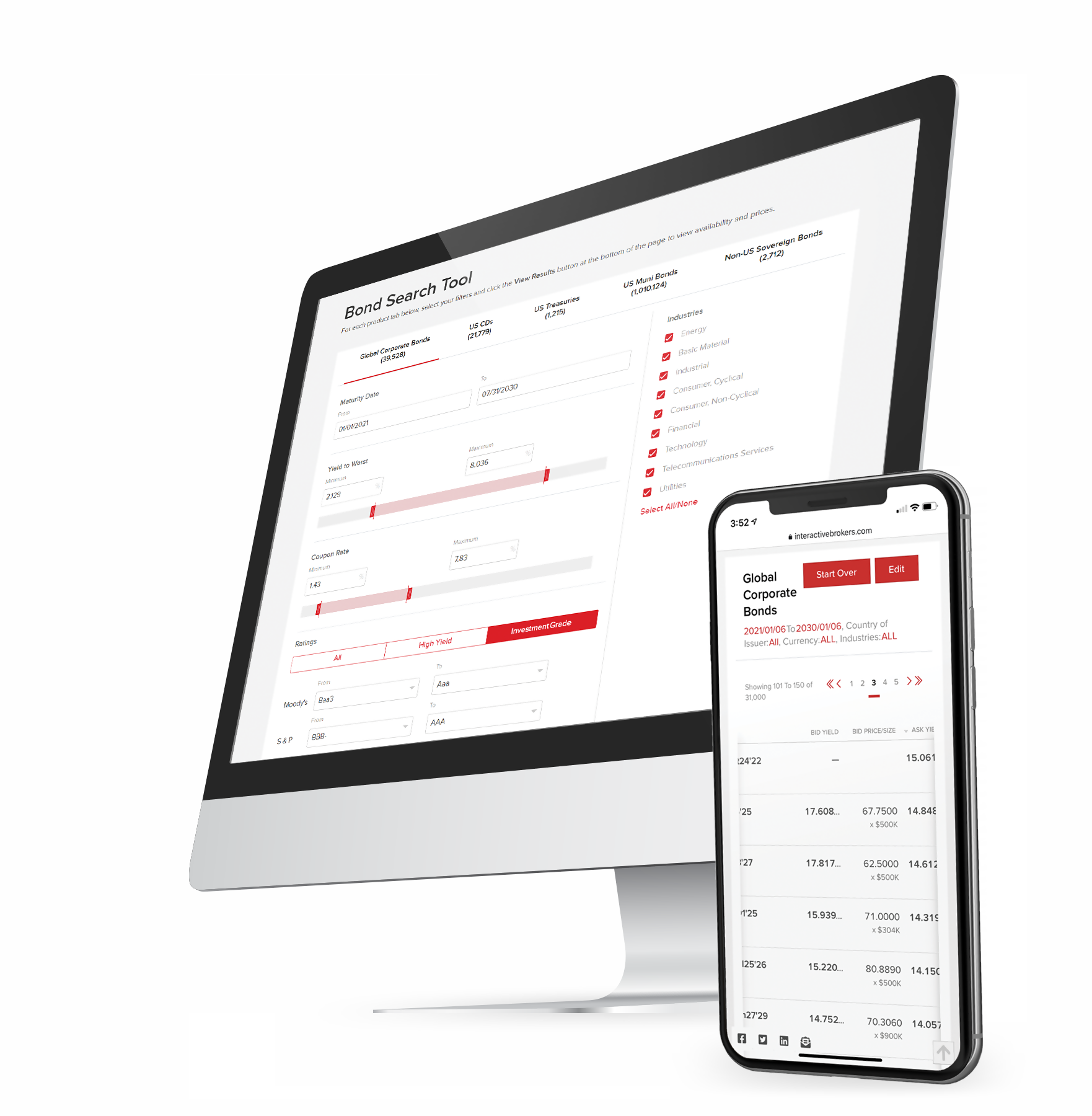
30,555
6,739
1,120
1,014,391
2,822
REMINDER
It Is Easier Than Ever to Use Your Wise Account to Fund Your IBKR Account
- Additional funding currencies: Fund your account with Bulgarian Lev (BGN), Indonesian Rupiah (IDR), Malaysian Ringgit (MYR) and Romanian Leu (RON).
- Faster processing of deposits: Our integration with Wise ensures the transaction contains the correct routing and processing information. In addition, Wise payments initiated from Client Portal are not subject to a credit hold.
- Ease of use: Once you authorize and link your Wise account with your Interactive Brokers account, you can transfer to and from your Wise multi-currency account without leaving Client Portal.
- Log in to Portal
- Select Transfer & Pay > Transfer Funds
- Select Make a Deposit
- Select Wise from the drop-down menu
- Select "Use a New Deposit Method"
- Choose "Bank Transfer via Wise" or "Transfer from Wise Balance" as a funding method
EXPANDED OFFERING
Additional News and Research
Providers Available on the IBKR Platform
News






EXPANDED OFFERING
Cryptocurrency Traders Can Now Transfer Crypto from Their Paxos Account to an External Wallet



Smart Investors Never Stop Learning

Interactive Brokers Launches Redesigned IBKR Campus Website to Empower Clients Globally
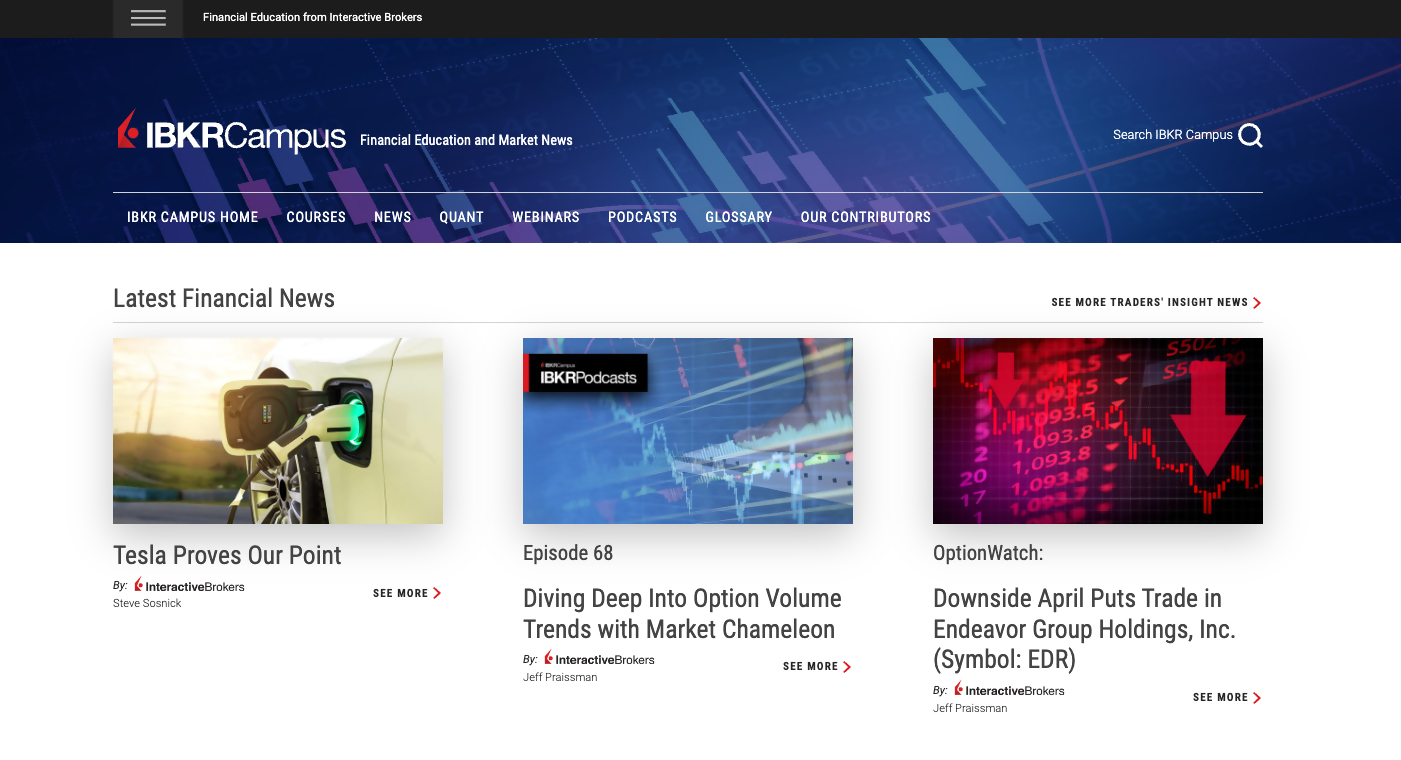

New Courses
Updated and Expanded Courses

Featured Webinars

Featured Articles


Featured Articles

New Features

NEW OFFERING
The Best-Informed Investors Learn & Earn at Interactive Brokers
| Options | Futures | Bonds |
|---|---|---|
| Introduction to Options | Introduction to Futures | Introduction to US Corporate Bonds |
| Basic Option Strategies | Hedging with Grain and Oilseed Futures and Options | Introduction to Municipal Bonds |
| Neutral Option Strategies | Understanding South American Soybean Futures | Introduction to Treasuries |
| Advanced Option Strategies | Introduction to Grains and Oilseeds | Introduction to Eurodollars |
| Futures Fundamental Analysis |

NEW TOOL
Connect with Us and Join the Conversation
IBKR AWARDS 2023
A Strong Start to 2023!

For the 6th year in a row, Barron's named Interactive Brokers as #1 – Best Online Broker
- 5 out of 5 stars Overall
2023 BrokerChooser Best Online Brokers
- Best Online Broker - 2023
- Best Broker for Day Trading - 2023
- Best Stock Broker - 2023
- Best Broker for Investing - 2023
- #1 for Best Online Broker in Singapore: Read More
- #1 for Online Brokers & Trading Platforms in the United Kingdom: Read More
- #1 for Best Online Brokers in India: Read More
- #1 for Best Brokers for ESG Investing: Read More
2023 StockBrokers.com Review
- #1 Professional Trading
- #1 Active Trading
- #1 Futures Trading
- #1 International Trading
- #1 Investment Options
- #1 Platform Technology
- #1 Sentiment Investing
- #1 ESG Investing
- 5 out of 5 stars Mobile Trading Apps
- 5 out of 5 stars Investment Options
- 5 out of 5 stars Platforms & Tools
- 5 out of 5 stars Research
2023 ForexBrokers.com Online Broker Review
- 4.6 out of 5 stars Overall
- Best Broker for International Trading
- Best Online Broker for Advanced Traders

2023 ForexBrokers.com Online Broker Review
- Best Online Brokers for Bonds - Read the full article
- Best Overall Broker for Mutual Funds - Read the full article